
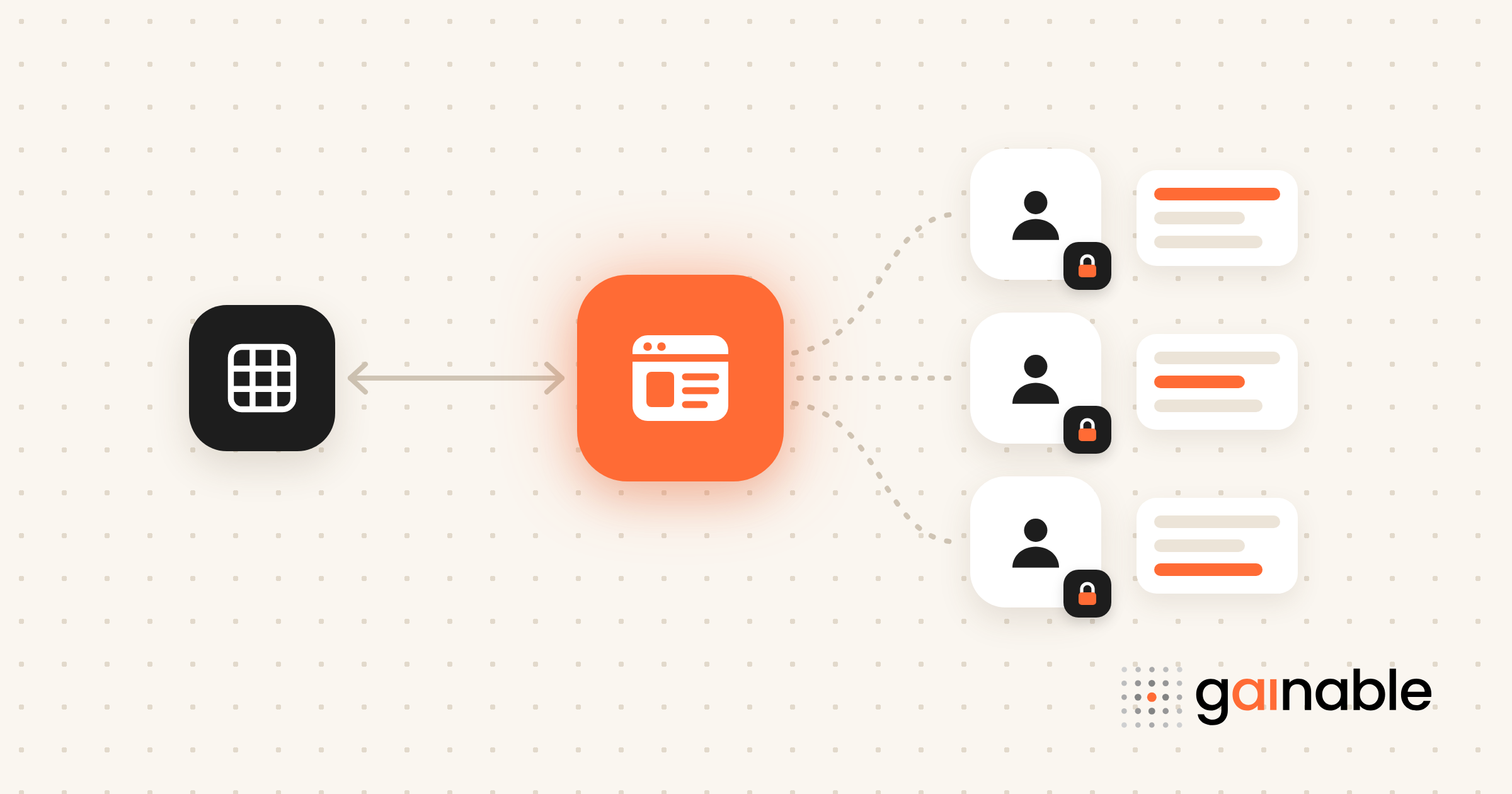
Yes, you can build a secure partner portal without writing a line of code. The practical approach is a data-driven no-code app that reads from your spreadsheets and CRM and handles sign-in, access control, dashboards, and file sharing out of the box. Before you touch any tool, inventory your partner workflows and the source data behind them. That one step decides how smooth everything after it goes.
TL;DR:
- Map every partner workflow, spreadsheet, CRM field, and manual step; choose a unique partner key and specify which fields sync one way or both ways.
- Require strong authentication, role-based access, an audit trail, and data scoped to each partner; test that every account sees only its assigned records before launch.
- Pilot with a small group of your most vocal partners for several weeks, confirming login isolation, form writebacks, and dashboard updates within minutes rather than overnight.
- Use a no-code build when CRM data and simple commissions fit; choose a specialized partner program product for tiered payouts, multiple programs, or compliance workflows.
Table of Contents
- Why a no-code partner portal matters for non-technical teams
- Core components every partner portal needs
- Step-by-step no-code build: a pragmatic 3-step workflow
- Security and access control best practices you must implement
- Build vs buy: how to choose the right path for your partner program
- Launch, pilot, and maintain: checklist and metrics to track
- Gainable: build a live partner portal from your spreadsheets
- FAQ
- Sources
- Recommended
Why a no-code partner portal matters for non-technical teams
If you’re running partner relationships out of shared spreadsheets, email threads, and a CRM nobody fully trusts, you already know the pain. Deal updates get lost. Partners ask the same question three times because nobody owns the answer. Someone on your team becomes the human relay between systems that should just talk to each other.
A no-code partner portal fixes that by centralizing partner content, deal flow, and performance metrics in one place that updates itself instead of waiting on a manual export.
- It cuts the back-and-forth between partner managers and sales ops who currently copy data between spreadsheets and emails.
- It shortens time-to-value because you’re not waiting on a developer backlog to ship a login page or a dashboard.
- It gives partner managers a live view of submissions and status instead of a weekly spreadsheet refresh.
Sales ops leads and partner managers feel this first, since they’re the ones stuck translating between systems today.
Core components every partner portal needs
Before you pick a tool, know what you’re building. Every working partner portal needs the same backbone, whether a developer builds it in three months or you assemble it in three weeks.
- Authentication and SSO or MFA: decide early whether partners log in with email and password, SSO through their own company, or a combination, and plan for multi-factor authentication from day one.
- Role-based access control (RBAC): partners should see only their own deals, documents, and data, with clear separation between what a partner admin sees versus an individual rep.
- Partner-facing content and file storage: marketing assets, deal registration forms, and lead submission fields all need a home that partners can find without asking you where it is.
- Dashboards and reporting: partners want to see their pipeline and payouts; your team wants to see adoption and activity across the whole partner base.
- Integrations and collaboration: connections back to your CRM and spreadsheets, plus comments or chat tied to specific records so questions don’t scatter across email.
Multi-tenant data isolation deserves its own line item here, not an afterthought. Each partner’s data needs to stay walled off from every other partner’s, even though they all log in to the same portal.
Pro Tip: List every field a partner currently asks you for by email, then build your content and form structure around that list instead of guessing what they need.
Step-by-step no-code build: a pragmatic 3-step workflow
You don’t need a six-month roadmap to get a working portal in front of partners. A tight, three-step sequence gets you there faster and with fewer surprises.
- Map your partner workflows and inventory source data. List every spreadsheet, CRM field, and manual process partners currently touch, from deal registration to commission tracking.
- Model the data and connect your sources. Pick a unique key (partner email or partner ID usually works), decide which fields sync one-way versus two-way, and connect your spreadsheet and CRM so updates flow both directions instead of going stale.
- Configure auth, RBAC, and tenant scoping, then pilot with a handful of partners. Set up onboarding flows and dashboards, invite a small group, and watch what breaks before you open it to everyone.
Your pilot checklist should cover three things: can partners log in and see only their own data, do form submissions write back to your source system, and does the dashboard reflect activity within minutes rather than overnight.
Pro Tip: Run your pilot with partners who complain the most about your current process. They’ll stress-test the portal harder and give you the most useful feedback.
For a deeper walkthrough of the mapping step, our guide to prepping spreadsheet data before you turn it into an app covers how to turn messy columns into a clean structure.
Security and access control best practices you must implement
Security can’t be an afterthought bolted on after launch. Partner portals hold sensitive deal and contact data from outside organizations, which raises the stakes compared with an internal-only tool.
- Enforce MFA on every account, including automation and service accounts. Microsoft’s Partner Center security guidance notes that MFA can affect how service accounts authenticate and recommends the Secure Application Model for API integrations.
- Start with RBAC, then layer in attribute-based controls once your role structure stabilizes, rather than designing a sprawling permission matrix on day one.
- Keep tenant data logically isolated. Every query needs to scope by partner ID by default, because logical multi-tenancy is what prevents one partner from accidentally seeing another’s records.
- Turn on audit logging and review permissions on a set cadence instead of only after something goes wrong.
Strong authentication, RBAC, and logical data isolation are the baseline a secure partner portal needs so each partner only ever reaches their own assigned records. Treat those three as non-negotiable before you add any customization.
Build vs buy: how to choose the right path for your partner program
Not every partner program needs a dedicated PRM product, and not every program should settle for a quick no-code build either. The right answer depends on how complex your rules are and how fast you need to move.
- Choose no-code when your data already lives in spreadsheets or a CRM, your commission rules are simple, and you need something live within weeks rather than quarters.
- Choose a specialized partner program product when you’re running multi-tier commission structures, dozens of partner programs at once, or compliance requirements that demand purpose-built workflows.
- Weigh time-to-value against admin overhead. Platforms that map directly to existing spreadsheets tend to get partner managers to a working portal faster than heavier systems that require extensive setup.
- Ask procurement-style questions before committing: how long until partners can log in, who maintains the portal after launch, and what happens to your data if you switch tools later.
Launch, pilot, and maintain: checklist and metrics to track
Launching isn’t a single event. Treat it as a staged rollout with clear checkpoints, and you’ll avoid the common trap of shipping to every partner at once and fielding a flood of confused support tickets.
- Pick a small group of partners and run a multi-week pilot before opening access more broadly.
- Build simple onboarding materials, including a short in-portal walkthrough so partners aren’t guessing where to click.
- Track adoption metrics: active logins, form submissions, response time on partner questions, and informal satisfaction feedback.
- Set a governance cadence: review permissions monthly, confirm sync is running on schedule, and back up your data regularly.
A mapping exercise that lines up spreadsheet columns and CRM fields to canonical objects like partner, contact, and deal is the highest-leverage work you’ll do, and it pays off every time you add a new data source later. Nail the data model and access rules before you touch the UI, and automate the small recurring tasks first.
Gainable: build a live partner portal from your spreadsheets
This is the shape of problem we built Gainable around. Point it at a partner leads spreadsheet and your CRM, and it merges them into one data model on the key you choose, usually partner email or partner ID, then builds the app from that structure: a deal registration form, a pipeline view, and a dashboard, with no prompts required to get the first version.
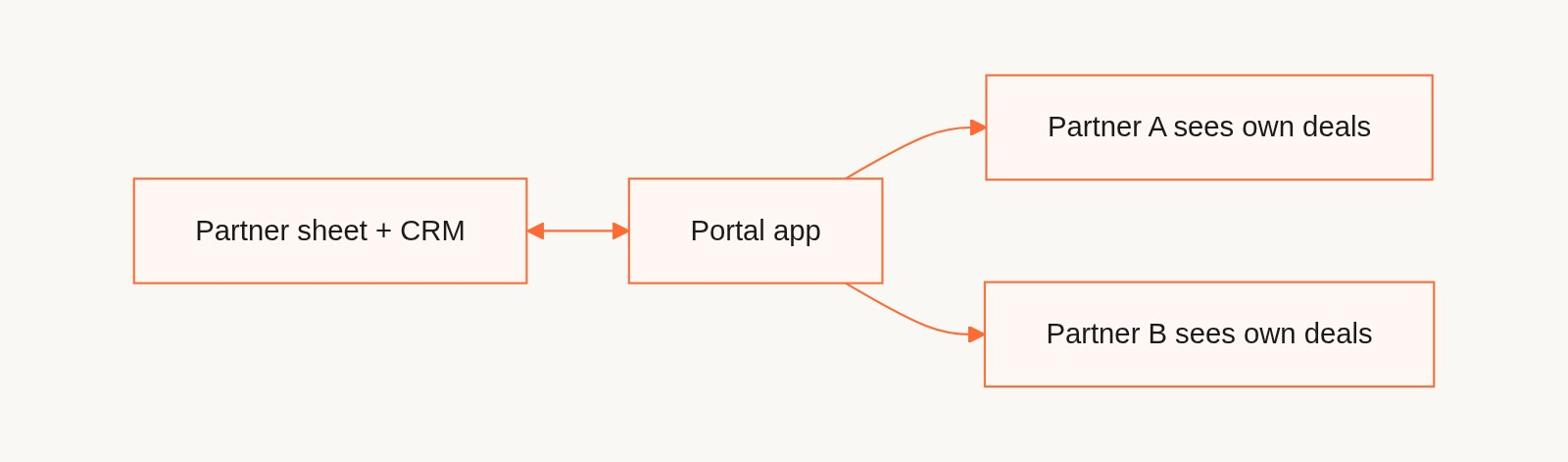
- Two-way sync with Google Sheets and CRMs like HubSpot and Salesforce, so a deal a partner registers in the portal writes back to your source instead of waiting for someone to copy it over.
- Partner logins without Gainable accounts. Turn on external access and partners get their own login on the app’s sign-in page, separate from your internal team, who arrive through their existing Gainable login. Each app user can be flagged as an app admin or not, and app users are unlimited on every plan.
- Per-partner scoping is something you specify and test. Describe the rule, for example “partners only see deals where partner is their company,” then log in as two test partners during the pilot and confirm neither can see the other’s records. Don’t open the portal until that test passes.
- Comments, chat, and file sharing sit inside each record, so partner questions stay attached to the deal they’re about.
Pro Tip: Start with your messiest spreadsheet, not your cleanest one. It’s usually the one causing the most manual work, so it has the most to gain from going live.
| Plan | Price (billed annually) | Best for |
|---|---|---|
| Solo | $99 per month | A single builder piloting a partner portal |
| Team | $499 per month | Ops and sales teams running a live program, with team admin and permissions |
| Enterprise | from $4,999 per month | Private infrastructure, SSO/SAML, and IT governance with audit logs |
If you’re ready to see your own spreadsheet turned into a working portal, get started and bring your partner data with you.
FAQ
What does “partner portal” mean?
A partner portal is a dedicated online space where external partners, resellers, or affiliates log in to register deals, access shared content, and track their own pipeline and payouts. It replaces the scattered mix of email, shared spreadsheets, and CRM access that many companies rely on by default.
What are the top 10 no-code platforms?
There’s no single agreed-upon list, and the right choice depends heavily on whether you’re building from spreadsheets, need heavy automation, or require specialized partner program features. For partner portals built directly from spreadsheet and CRM data with two-way sync, Gainable is built for that use case.
What is the best client portal?
The best client portal depends on your data sources, team size, and how complex your access rules need to be. A strong fit for most teams is one that connects directly to the spreadsheets or CRM you already use, enforces strong authentication and RBAC, and lets you pilot with a small group before a full rollout.
How do I access the Microsoft Partner portal?
Access to the Microsoft Partner Center portal depends on your organization’s registration and role within Microsoft’s partner program, and Microsoft’s own security guidance covers the authentication requirements, including MFA enforcement. Check Microsoft’s official partner documentation for the current registration and sign-in steps that apply to your account type.
What should I check before choosing a partner portal tool?
Confirm how the tool handles authentication, RBAC, and data isolation between partners, since those three determine how secure your rollout will be. Also check how the tool syncs with your existing spreadsheets or CRM and whether updates flow both directions instead of going stale.
Sources
- Partner security requirements - Partner Center | Microsoft Learn
- Ironscales: multi-tenancy security glossary