
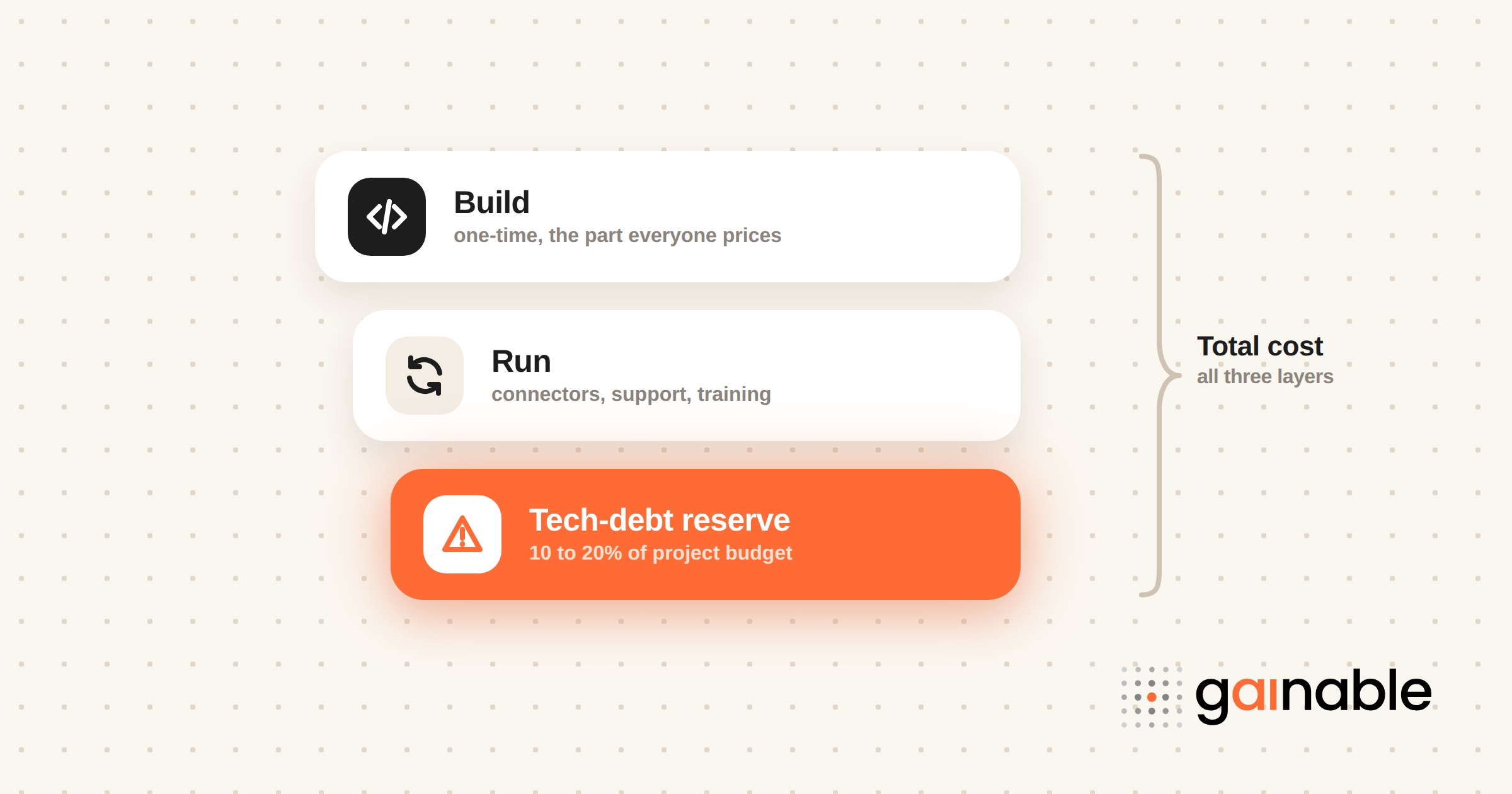
You can build a defensible estimate for any internal tool by adding three things: one-time build, recurring operations, and a tech-debt buffer. A 2014 Gartner estimate already put application development and maintenance at 34% of IT budgets, and McKinsey finds tech debt eats a further slice of project spend. Start with one workflow, price all three layers, and compare the result with a platform like Gainable.
TL;DR:
- Reserve 10–20% of project budgets for technical debt, since CIOs report that share gets diverted to remediation and legacy shortcuts.
- Budget separately for integrations, connector upkeep, support, training, and AI review; token charges exclude validation, governance, rework, and staff time.
- Use builder-seat or flat pricing for broad employee access; per-seat charges rise with hiring, while consumption pricing can spike unexpectedly.
- Pilot one workflow for a full cycle, compare actual hours and costs with low, expected, and high estimates, then revise before scaling.
- Gainable is priced per builder, billed annually: $99 per month for Solo, $499 for Team, and from $4,999 for Enterprise, with unlimited app users on every plan.
Table of Contents
- What belongs in your internal tool cost budget
- How pricing models change how predictable your costs are
- A step-by-step TCO method for estimating internal tool cost
- Hidden costs that inflate internal software expenses
- Controls that keep internal tool pricing predictable
- Why we think you should pilot before you commit
- How Gainable cuts integration and maintenance surprises
- FAQ
- Sources
- Recommended
What belongs in your internal tool cost budget
Most budgets fail because they price the build and forget everything that happens after launch. Here are the line items we see operations teams miss most often:
- Scoping and design: workshops, process mapping, and agreeing what the tool must do on day one.
- Data modeling and connectors: defining records, merging sources, and building the links to your CRM, billing, or spreadsheets.
- Implementation: configuration, permissions, testing, and the first round of fixes.
- Hosting and maintenance: usually billed monthly or annually, plus the staff time to patch, update, and keep connectors alive.
- Support and training: a help channel, onboarding for new hires, and change management when the process shifts.
- Tech-debt reserve: a planned percentage for cleanup, so shortcuts taken in month one do not become a crisis in month eighteen.
The mix matters more than any single number. A tool with many integrations and user roles spends far more on the second and fourth items than a simple tracker does. If you treat the build as the whole cost, you are budgeting for the cheapest period and ignoring what comes after.

A practical habit: write each line item on its own row with an owner. When finance asks what “maintenance” means, you can point to named work instead of a vague percentage.
How pricing models change how predictable your costs are
The same tool can be easy or painful to forecast depending on how it is priced. Here is how the common shapes behave:
- Per-seat pricing: simple with a small user base, uncomfortable at a much larger one. Every new hire changes the bill, so a tool meant for the whole company becomes a recurring negotiation with finance.
- Consumption pricing: you pay for what you use, including AI tokens or API calls. That is fair on paper, but a busy month or a runaway automation can produce a spike nobody budgeted for.
- Builder-seat pricing: you pay for the people who build and manage apps, while everyone who uses them is free. Forecasting gets easier because your headcount of builders changes slowly.
- Flat or hybrid plans: a fixed fee with defined limits. These are the easiest to get approved, because the number on the purchase order is the number you will pay.
For broad employee-facing tools, we lean toward models where the end-user count does not move the price. Predictability is a cost advantage in its own right: a stable line item survives budget reviews, while a variable one invites cuts. You can see how our plans are structured on our pricing page.
A step-by-step TCO method for estimating internal tool cost
Run this routine with someone from finance in one sitting. It works for a custom build, a platform, or a mix.
- Fix the scope and open a scope register. Write down the outcome the tool must deliver, then list every feature that serves it. Anything not on the list needs a formal request.
- Inventory your integrations. List each system the tool must read from or write to, and note how messy each one’s data is. Our HubSpot and Google Sheets sync guide shows what that mapping work looks like, and a clear CRM data model shrinks it.
- Estimate the build. Count effort in person-days, internal or vendor, then convert to dollars. Add licenses and one-time setup fees.
- Project recurring costs over your chosen planning horizon. Include hosting, support, connector upkeep, and training. Then add a tech-debt and maintenance percentage on top. McKinsey’s range in the next section is a sensible anchor.
- Pilot, measure, and revise. Launch one workflow, compare actual hours and costs with your estimate, and update every assumption before scaling.
Pro Tip: Show finance your estimate as a range with a low, expected, and high case. A range with stated assumptions gets approved faster than a single number that looks too clean to be true.
Hidden costs that inflate internal software expenses
The expensive surprises rarely come from the build. They arrive later, and they are easy to price once you know where to look.
McKinsey describes technical debt as a “complexity tax,” and the numbers are large:
In a McKinsey survey of 50 CIOs, tech debt amounted to 20–40% of the value of the technology estate, and 10–20% of the technology budget meant for new products got diverted to dealing with it. In plain terms, a meaningful share of every new project quietly pays for old shortcuts.
Other costs to carry in your TCO:
- AI overhead beyond tokens: IBM’s analysis shows the visible fees are only part of the picture. Review time, rework, validation, governance, training, and integration effort all land on your team.
- Integration churn: vendors change APIs, fields get renamed, and each connector needs periodic repair. Treat it as a recurring line, not a one-time task.
- Scope creep: small requests compound into schedule and cost overruns, which is why Atlassian’s scope guidance recommends a scope register and formal change control.
Add each of these as its own row in your estimate. A buffer you can explain beats a vague contingency every time.
Controls that keep internal tool pricing predictable
You do not need a new department to keep spend under control. A handful of habits does most of the work:
- Make spend visible. Tag internal-app costs by team or workflow so someone owns each number, the way FinOps teams do for cloud bills.
- Review scope weekly. Keep the scope register open and look at it every week. A rule we like: adding a feature means dropping one. University of Waterloo’s guidance lists the other levers, reprioritizing, reallocating people, or moving the timeline.
- Use change control. Every request gets submitted, assessed for impact, and decided as a trade-off.
- Match AI models to the task. Simple classification does not need the most expensive model, and every AI output that touches money or customers needs a validation step.
- Reserve a steady share for remediation. McKinsey’s tech-debt guidance recommends budgeting consistently to pay debt down rather than waiting for a rewrite.
Pro Tip: Put the tech-debt reserve in the original budget request. It is far easier to defend as a planned line than to ask for as an emergency.
Why we think you should pilot before you commit
Here is my honest view: the biggest budgeting mistake is not underestimating the build, it is skipping the pilot. Estimates built on slides drift, while estimates built on one live workflow hold up. Atlassian’s team of five took a weekend prototype to production in about five months, which tells me timelines depend heavily on tooling and workflow choices. When you buy rather than build, you mostly buy fewer integrations to maintain, and that is where predictability comes from. Run the five steps on one workflow first.
How Gainable cuts integration and maintenance surprises
The costs that blow up internal tool budgets are connectors, copy-paste handoffs, and upkeep. We built Gainable to remove manual spreadsheet handoffs. Point it at an Excel file or a Google Sheet, connect sources like HubSpot, Salesforce, Jira, or Stripe, and it merges them into one data model and builds a working app from what you already have. For sources with write access, like Google Sheets, HubSpot, Salesforce, and Jira, two-way sync writes changes back, so the export-and-email loop goes away.
Pricing is also easier to forecast. Plans are priced per builder, with unlimited app users: Solo is $99 per month with one builder seat, Team is $499 per month for up to 25 builders, and Enterprise starts from $4,999 per month, all billed annually. Our suggestion: pilot one workflow, then compare its total cost of ownership with your current process. You can start by exploring our operations solutions or the data connectors we support.
FAQ
How much should I budget for internal tool maintenance?
Plan for maintenance to be a permanent line item, not an afterthought. In a McKinsey survey, CIOs said 10–20% of the technology budget for new products gets diverted to technical debt, so a reserve in that neighborhood is a reasonable starting point.
What is the difference between per-seat and builder-seat pricing?
Per-seat pricing charges for every person who uses the tool, so cost rises as you hire. Builder-seat pricing charges only for the people who create and manage apps, which keeps the bill steady as more employees use them.
What hidden costs do AI features add to internal tools?
Token and license fees are only the visible part. IBM’s analysis lists review time, rework, validation, governance, and integration effort as costs teams often miss.
How do I stop scope creep from raising my budget?
Keep a scope register, review it weekly, and require a formal request for every change. A simple rule that works: any new feature must replace an existing one.
How long should a pilot run before I commit?
Long enough to measure real hours and costs against your estimate, usually one full cycle of the workflow. Use the variance to revise your assumptions before rolling out to more teams.
Sources
- Tech debt: Reclaiming tech equity | McKinsey
- Breaking technical debt’s vicious cycle to modernize your business | McKinsey
- Gartner says optimizing application development and maintenance can cut costs by more than 50 percent (2014)
- Where AI costs are made or saved in software development | IBM
- From prototype to production: lessons learned taking AI-built software to enterprise scale | Inside Atlassian