

Custom applications are purpose-built software tools that enforce structured data handling, automate calculations, and control user permissions in ways spreadsheets fundamentally cannot. If your team is still routing approvals through a shared Excel file or tracking client data across a 40-tab Google Sheet, you already know the frustration. The case for why custom apps beat spreadsheets comes down to three things: accuracy, accountability, and time. Firms like JMS Dev Lab and i3solutions have documented this shift with hard numbers, and the results consistently show that teams recover hours every week and eliminate entire categories of error within months of switching.
What are the common limitations of spreadsheets in team environments?
Spreadsheets were designed for individual analysis, not team operations. When you scale them to handle multi-user workflows, the cracks appear fast.
The most painful issue is concurrency. When two people edit the same file simultaneously, version conflicts and overwrites are a constant risk. Even with Excel's co-authoring feature or Google Sheets' real-time sync, teams still end up with conflicting data states that require manual reconciliation. That reconciliation is not free. It costs someone an hour they did not budget for.

Permission control is the second major gap. Most spreadsheet tools offer only file-level access: you either share the whole file or you do not. There is no practical way to let a sales rep update their own rows without risking accidental changes to formulas, totals, or another rep's records. The result is that someone becomes the unofficial "spreadsheet guardian," manually checking for damage after every update.
Then there is the audit problem. Spreadsheets only provide file-level version history, which means you can see that a file changed but not exactly which cell was edited, by whom, and why. For any team subject to compliance reviews or financial audits, this is a serious liability. A database or custom app logs every change at the record level, which is the granularity regulators actually require.
"Fixing spreadsheets to handle approvals and backups leads to complexity similar to apps, proving custom apps usually win." — Buralog
The formula fragility issue compounds all of this. A single misplaced keystroke can break a formula chain silently. No error message appears. The wrong totals flow into reports. Decisions get made on bad data. Spreadsheet workflows break down at scale precisely because they rely on manual formula maintenance that no one person fully owns.
How do custom apps improve data integrity and workflow automation?
Custom applications solve the spreadsheet problems above by design, not by workaround. The benefits of custom applications are structural, not cosmetic.
Here is what a well-built custom app delivers that a spreadsheet cannot:
- Validated data entry. Forms enforce field types, required fields, and dropdown selections. A user cannot enter "N/A" in a date field or leave a required cost field blank. Bad data never enters the system.
- Automatic calculations. Totals, commissions, and status flags update the moment a record changes. There are no formulas to break and no manual refresh required.
- Workflow automation. Approval requests trigger notifications. Status changes move records through defined stages. Your team stops chasing updates over email.
- Role-based permissions. A warehouse manager sees inventory records. A sales rep sees their own pipeline. An executive sees the dashboard. No one sees what they should not.
- One source of truth. Every team member accesses the same live data from any device. There is no "latest version" confusion because there is only one version.
JMS Dev Lab replaced a client's 47-tab spreadsheet with a four-screen app. The client went from weekly accidental deletions to zero incidents since launch. That is not a marginal improvement. That is a category change.
Custom apps also enable integrations that spreadsheets handle poorly. Connecting your CRM data from HubSpot or payment data from Stripe into a live app dashboard is a fundamentally different experience from manually exporting CSVs and pasting them into a sheet. The automation and centralized data access that apps provide eliminate the manual copy-paste errors that silently corrupt spreadsheet-based reporting.
Pro Tip: When scoping your first custom app, list every manual step your team takes to "fix" or "check" the spreadsheet each week. Those steps are your automation wishlist, and they are where your ROI will come from.
What are the typical costs and ROI when replacing spreadsheets with custom apps?
The financial case for custom software is stronger than most teams expect, especially when you account for the hidden costs of spreadsheet maintenance.
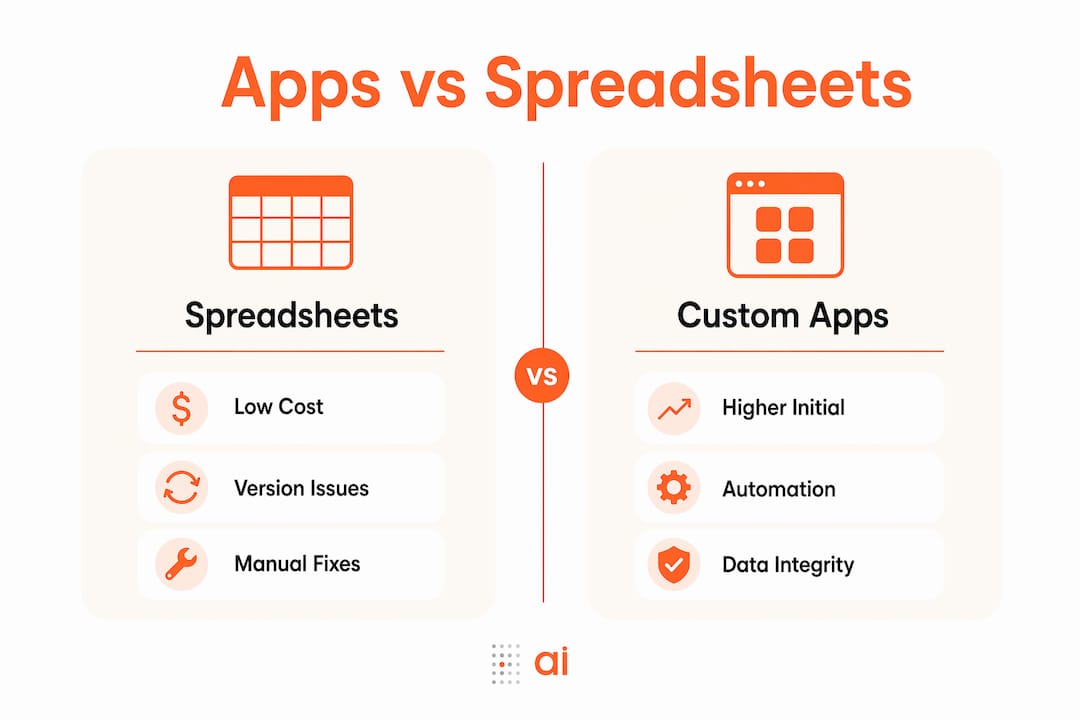
Typical spreadsheet replacement projects cost between €3,000 and €6,000, with monthly hosting fees often under €20. That is a one-time investment with a predictable ongoing cost. Compare that to the ongoing cost of spreadsheet chaos: error correction, retraining new staff on complex file structures, and delayed decisions caused by data that no one fully trusts.
| Cost factor | Spreadsheets | Custom apps |
|---|---|---|
| Initial build cost | Near zero | €3,000–€6,000 (typical) |
| Monthly hosting | Free (shared tools) | Under €20 |
| Error correction time | High and recurring | Near zero post-launch |
| Staff training burden | Ongoing and informal | One-time with onboarding tour |
| Audit trail quality | File-level only | Record-level, compliance-ready |
| ROI timeline | N/A | 4–12 months from time saved |
The JMS Dev Lab case study is the clearest benchmark available. A custom app built in about 5 weeks saved the client 8 to 10 hours per week and achieved full ROI in under four months. At even a modest hourly rate, that math closes quickly.
The key insight from i3solutions is that ROI comes from removing human cleanup and reconciliation, not just eliminating data entry. Teams underestimate how much time goes into checking, correcting, and re-explaining spreadsheet data. That invisible labor is where the real payback lives.
Pro Tip: Do not try to build a digital replica of your spreadsheet. Map the actual business process first, then build only the screens and rules that support it. Lean apps deploy faster and get adopted more readily.
How to approach transitioning your team from spreadsheets to a custom app
A successful transition is less about technology and more about process clarity. Here is a practical sequence that works for most teams:
- Interview the actual users, not just the spreadsheet owner. The person who built the spreadsheet knows what it was designed to do. The people using it daily know what it actually does and where it breaks. Both perspectives are required.
- Map the core workflow, not the tabs. A 47-tab spreadsheet rarely represents 47 distinct processes. It usually represents three or four workflows buried under years of workarounds. Identify those core flows and build around them.
- Prioritize error reduction and time savings first. Features that prevent bad data entry and automate repetitive steps deliver the fastest ROI. Build those before adding reporting dashboards or advanced analytics.
- Start with a minimum viable app. Launch with the core functionality, gather feedback from real users, and iterate. Teams that try to build everything at once end up with delayed launches and low adoption.
- Plan your data migration carefully. Legacy spreadsheet data is often inconsistent, with mixed date formats, duplicate records, and blank required fields. Clean the data before importing it, not after. Post-migration cleanup is significantly more expensive than pre-migration cleanup.
- Build an onboarding tour into the app. A short guided walkthrough on first login reduces support requests and accelerates adoption. JMS Dev Lab's practical experience confirms that intuitive UI design is one of the highest-leverage investments in the build phase.
The no-code app builders available in 2026 have lowered the barrier to entry significantly. Teams that previously needed a developer for every change can now iterate on their own apps using natural language queries and visual builders.
What real-world examples show the advantages of custom apps over spreadsheets?
The most compelling evidence for why custom solutions outperform spreadsheets comes from teams that have already made the switch.
JMS Dev Lab's flagship case study involved a client managing their entire business in a 47-tab spreadsheet. The file had grown organically over years, with tabs for clients, jobs, invoices, commissions, and repair tracking all linked by fragile formula chains. The replacement was a four-screen custom app that covered the same workflows with none of the fragility.
The outcomes were measurable:
- Accidental deletions dropped from a weekly occurrence to zero since launch
- The team saved 8 to 10 hours per week across users
- The app was accessible on any device, eliminating the "I don't have the file" problem
- Audit trails became record-level, supporting compliance reviews
- The build paid for itself in under four months
"Apps enable integrations, workflow automation, and eliminate manual copy-pasting errors inherent in spreadsheets." — i3solutions
The types of spreadsheets most commonly replaced follow a pattern: CRM trackers, repair and service logs, commission calculators, and inventory management files. These are all workflows where multiple users need to write data, where errors have financial consequences, and where someone needs to audit what happened. Spreadsheets handle none of those requirements reliably. Custom apps handle all of them by default.
Accounting teams face a particularly acute version of this problem. The manual reconciliation spreadsheets that finance teams rely on are often the most complex and the most error-prone files in any organization. Replacing them with a purpose-built app is one of the highest-ROI moves an operations or finance leader can make.
Key takeaways
Custom apps outperform spreadsheets because they enforce data quality, automate workflows, and provide audit trails that scale with your team's actual needs.
| Point | Details |
|---|---|
| Spreadsheet limitations are structural | Concurrency, permissions, and audit gaps cannot be patched out of spreadsheets at scale. |
| Custom apps prevent errors by design | Validated forms and automatic calculations eliminate the formula fragility that corrupts spreadsheet data. |
| ROI arrives faster than expected | A typical build pays for itself in 4 to 12 months, primarily from recovered cleanup and reconciliation time. |
| Transition requires process mapping first | Interview users, identify core workflows, and build lean before adding advanced features. |
| Real cases confirm the gains | JMS Dev Lab's client saved 8 to 10 hours per week and reached ROI in under four months after replacing a 47-tab spreadsheet. |
The spreadsheet trap is harder to escape than it looks
I have seen this pattern more times than I can count. A team builds a spreadsheet to solve a specific problem. It works. Then someone adds a tab. Then another. Three years later, the file is a 50-tab organism that only one person fully understands, and that person is terrified to leave the company.
The trap is not the spreadsheet itself. The trap is the assumption that complexity can be managed by adding more structure to a tool that was never designed for multi-user, multi-process operations. Every workaround you add, whether it is a protected sheet, a color-coded convention, or a "do not edit this tab" note, is a sign that you are building an app inside a spreadsheet. You are just doing it badly.
What I tell teams is this: the moment you have more than three people writing to the same file, or the moment an error in that file would cost you real money or a compliance issue, you have outgrown the spreadsheet. The question is not whether to switch. The question is how long you are willing to pay the hidden cost of staying.
The decisions your team makes from unreadable spreadsheets are often worse than no decision at all. Bad data with high confidence is more dangerous than acknowledged uncertainty.
One more thing: do not underestimate the data cleanup phase. Every team I have worked with discovers that their spreadsheet data is messier than they thought once they try to import it into a structured system. Budget time for that. It is not glamorous, but it is where transitions succeed or fail.
— Rickard
Build your team's custom app with Gainable
If you recognize your team in any of the scenarios above, Gainable is built for exactly this transition.
Gainable connects directly to your existing data sources, including HubSpot, Stripe, and Google Sheets, and auto-generates apps that reflect your actual workflows. No coding required. You describe what you need in plain language, and the platform builds the screens, permissions, and automations around your data. The result is a live team app with built-in collaboration tools, audit logging, and real-time updates. You can start with your operations workflows and expand from there. If you are ready to stop patching spreadsheets and start working from a system that actually fits your team, the Gainable app builder is the fastest path from your current data to a working app. Connect your sources with Gainable's data connectors and see your first app in minutes.
FAQ
Why do custom apps beat spreadsheets for team data management?
Custom apps enforce validated data entry, role-based permissions, and record-level audit trails that spreadsheets cannot reliably provide. These structural advantages prevent the errors and accountability gaps that grow more costly as team size and data complexity increase.
How much does it cost to replace a spreadsheet with a custom app?
Typical builds cost between €3,000 and €6,000 with monthly hosting under €20, and most teams recover that investment within 4 to 12 months from time saved on error correction and manual reconciliation alone.
What types of spreadsheets are most worth replacing with custom apps?
CRM trackers, commission calculators, repair logs, and inventory management files are the most common candidates. These are workflows where multiple users write data, errors carry financial consequences, and audit accountability matters.
Can a non-technical team build and manage a custom app?
Yes. No-code platforms like Gainable allow teams to build and iterate on apps using natural language, without developer involvement. The key is mapping your core workflow clearly before building, not technical skill.
How long does it take to transition from a spreadsheet to a custom app?
JMS Dev Lab completed a full spreadsheet replacement in approximately five weeks, including requirements gathering, build, and testing. Simpler workflows can move faster; the data migration and cleanup phase is typically where timelines extend.