

CRM integration is defined as the process of connecting your customer relationship management platform with other business tools so that data flows automatically between them, creating a single, unified record of every customer interaction. If you've ever watched a sales rep copy data from a marketing email platform into HubSpot, or seen a support agent ask a customer for information your system already holds, you've witnessed the cost of missing integrations. 74% of salespeople agree that CRM systems significantly improve access to critical customer data, and that benefit multiplies when integrations deliver real-time updates across every connected tool. Platforms like Salesforce, HubSpot, and Zoho CRM are only as powerful as the data flowing into them. Understanding why CRM integrations matter is the difference between a CRM that collects dust and one that drives revenue.
Why CRM integrations matter for operational efficiency
The average company uses over 100 software tools, and each one generates its own data. Without integration, that data stays locked in separate silos. Your marketing team tracks engagement in Mailchimp, your sales team logs calls in HubSpot, and your support team manages tickets in Zendesk. None of those systems talk to each other by default, so your customer records are always incomplete.
95% of companies report operational gaps between their CRM and CMS systems. That gap is not just an IT inconvenience. It translates directly into missed follow-ups, duplicated outreach, and support agents who lack the context to resolve issues quickly. When your systems are disconnected, your team becomes the "human middleware," manually copying, reconciling, and updating records across platforms.

Integration solves this by creating a single source of truth (SSOT) for sales, marketing, and service teams. When a customer submits a support ticket, your CRM updates automatically. When a prospect opens a marketing email, that signal appears in the sales rep's pipeline view. The data moves without anyone touching it.
The operational benefits are concrete:
- Fewer manual data entry tasks, which reduces input errors and frees up rep time
- Faster handoffs between marketing, sales, and support because context travels with the customer record
- Reduced time lost switching between platforms to piece together a complete customer picture
- Automated workflows triggered by real customer behavior rather than scheduled batch updates
Pro Tip: Start your integration project by auditing which two platforms generate the most manual copy-paste work for your team. That intersection is where integration will deliver the fastest return.
How does CRM integration improve the customer experience?
Unified data does not just help your internal teams. It directly shapes how customers feel about your brand. When a support agent can see a customer's full purchase history, recent marketing interactions, and open tickets in one view, they stop asking questions the customer has already answered. That alone reduces friction significantly.
83% of customers say they feel more loyal to brands that resolve their complaints quickly. Integrated CRM access to customer history is what makes that speed possible. Without it, agents spend the first minutes of every call gathering context instead of solving problems.
Non-integration creates what you might call a "data blackout" for your customer-facing teams. The downstream failures are predictable:
- Redundant outreach: a customer receives a promotional email the same day they submitted a complaint
- Tone-deaf marketing: a churned customer gets an upsell campaign because the marketing platform never received the cancellation signal
- Repeated questions: a customer explains their issue to three different agents because no shared record exists
Cross-department visibility is the fix. When sales, support, and marketing all draw from the same integrated data, a 360-degree customer view becomes achievable. That view enables proactive actions, like triggering a loyalty offer when a customer's engagement score drops, rather than reactive scrambling after a complaint escalates.
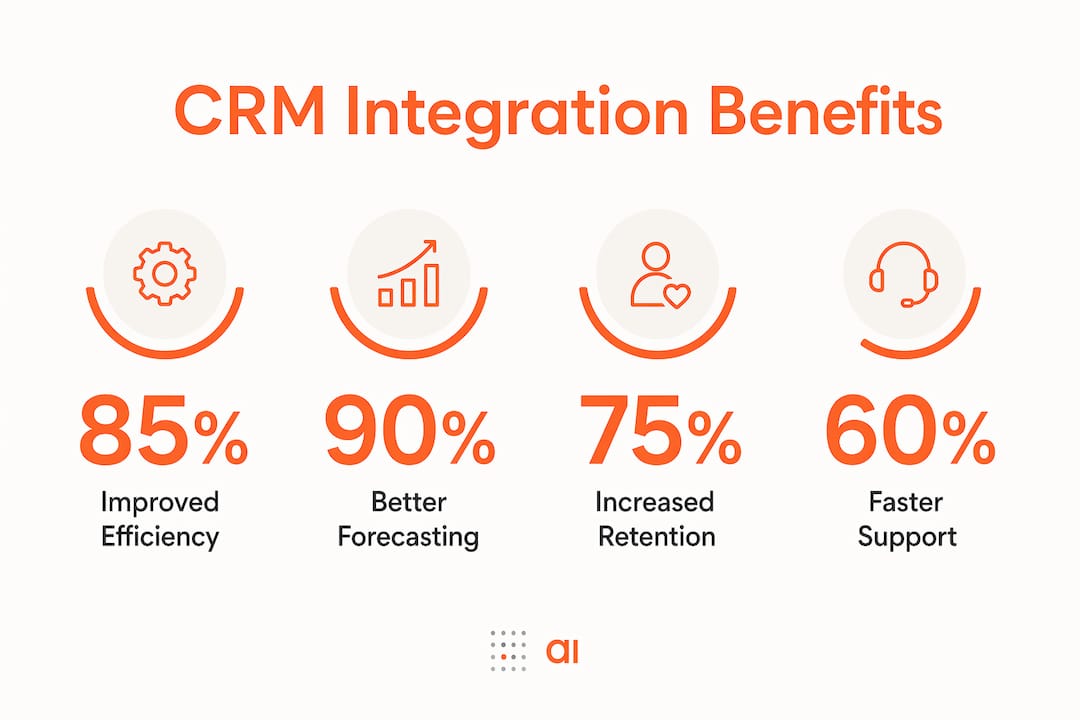
Integrated CRM platforms also improve forecasting accuracy and help identify churn risks by providing unified dashboards across sales, marketing, and service. For decision-makers, that consolidated data enables more confident, customer-centric planning.
What are the most common CRM integration pitfalls?
Integration projects fail more often from organizational issues than from technical ones. Understanding the most common pitfalls before you start will save you significant time and money.
-
Garbage in, garbage out. Integration synchronizes data across systems, but it cannot fix bad data at the source. Poor data quality costs the U.S. economy $3.1 trillion annually. If your CRM already contains duplicate records, stale contact details, or inconsistent field formats, integration will spread those problems faster across every connected system. Clean your data before you connect.
-
Cultural resistance from sales and support teams. Technology alone cannot fix poor data entry discipline. Sales and support teams must maintain disciplined data entry for integrations to work effectively. If reps log calls inconsistently or skip required fields, the integration has nothing reliable to sync. Adoption training and clear data standards are non-negotiable.
-
Treating integration as a one-time IT project. APIs change, platforms update, and business processes evolve. Integration is a continuous operational strategy, not a setup task you complete and forget. Failing to monitor sync health means data corruption spreads silently across connected systems until someone notices a major discrepancy.
-
Misaligned scope. Not every data point needs to live in your CRM. Trying to make your CRM the system of record for everything, including inventory, billing, and HR data, creates unnecessary complexity. Define clear ownership for each data type before building connections.
Pro Tip: Run a phased integration rollout. Connect your highest-impact platform pair first, stabilize it, then expand. This limits risk and builds team confidence in the process.
How do CRM integrations prepare you for AI-driven automation?
AI features inside CRM platforms are only as good as the data they run on. Predictive lead scoring, conversational AI chatbots, and generative AI messaging tools all depend on accurate, consistent, and timely customer records. Integration is the prerequisite that makes this data foundation possible.
The numbers are stark. 86% of IT leaders warn that improper integration complicates AI adoption, and 96% agree that AI success depends on seamless data flow across systems. When your CRM data is fragmented or stale, AI models generate inaccurate predictions, and automation fires at the wrong time or for the wrong customer.
Here is what well-integrated CRM data enables for AI:
- Predictive lead scoring that draws on email engagement, website behavior, support history, and purchase data simultaneously
- Conversational AI chatbots that resolve support queries without escalation because they have full customer context
- Generative AI messaging that personalizes outreach based on real behavioral signals rather than generic segment tags
- Automated churn prevention triggered by drops in engagement scores detected across integrated marketing and product usage data
The practical implication for decision-makers is this: your AI readiness is directly proportional to your integration maturity. Companies that invest in CRM data quality and bidirectional data flow today are building the foundation for AI-driven automation that will separate them from competitors in the next two to three years. Platforms like Salesforce Einstein and HubSpot's AI tools already demonstrate this dependency clearly. Their accuracy degrades measurably when fed incomplete or siloed data.
A growing number of platforms now include built-in connectors and APIs to simplify CRM integrations, lowering the technical barrier for teams without dedicated engineering resources. iPaaS tools and middleware solutions allow integrations to be deployed and scaled faster with lower ongoing IT effort.
Key takeaways
CRM integrations matter because they convert fragmented, siloed data into a unified, automated operating system that improves efficiency, customer experience, and AI readiness simultaneously.
| Point | Details |
|---|---|
| Data fragmentation is the core problem | Companies using 100+ tools create silos that integrations eliminate by building a single source of truth. |
| Customer experience depends on unified data | 83% of customers show higher loyalty to brands that resolve issues quickly, which requires integrated access to full customer history. |
| Data quality must come before integration | Connecting systems with dirty data spreads errors faster. Clean and govern data before connecting platforms. |
| Integration is an ongoing discipline | Sync health monitoring and data governance must continue after go-live to prevent silent data corruption. |
| AI readiness requires integration maturity | 96% of IT leaders agree AI success depends on seamless data flow, making integration the foundation for automation. |
My honest read on CRM integration in 2026
Most organizations I've seen treat CRM integration as a project with a finish line. The integration goes live, the IT team closes the ticket, and leadership moves on. Six months later, sync errors accumulate quietly, field mappings drift out of alignment, and the "single source of truth" becomes three slightly different versions of the truth.
The teams that get lasting value from integration treat it the way they treat financial reporting: as an ongoing operational discipline with regular health checks, clear ownership, and defined standards. That means assigning someone to monitor sync logs, scheduling quarterly data audits, and building a feedback loop between the teams entering data and the teams relying on it.
The other thing I'd push back on is the idea that more integrations automatically mean better outcomes. I've watched companies connect every tool they own to their CRM and end up with a more complex mess than they started with. The right question is not "what can we connect?" It's "where does data fragmentation actually cost us customers or revenue?" Start there, solve that, and expand deliberately.
Integration done well is not a technology story. It's a collaboration story. The technology is the easy part. Getting sales, marketing, and support to agree on data standards and maintain them consistently is where the real work lives.
— Rickard
Take your CRM integrations further with Gainable
If you're managing CRM data across multiple platforms and still spending hours reconciling records manually, Gainable is built for exactly that problem.
Gainable connects directly with tools like HubSpot, Stripe, and Google Sheets through its data connectors platform, auto-generating apps that reflect your actual workflows without requiring any code. You can build a sales pipeline app from your live CRM data in minutes, then refine it using plain-language queries. Built-in team communication tools keep discussions tied to the data context, so your team stops working in disconnected threads. If you want to see how connected data apps actually work in practice, the 2026 guide to data-connected apps is a strong starting point.
FAQ
What are CRM integrations?
CRM integrations are connections between your CRM platform and other business tools, such as email marketing, e-commerce, or support software, that allow data to flow automatically between systems. They eliminate manual data entry and create a unified customer record accessible across teams.
Why do CRM integrations matter for small and mid-sized businesses?
CRM integrations matter because they reduce the manual work that consumes disproportionate time in smaller teams, where one person often handles multiple roles. Automated data sync means fewer errors, faster customer responses, and more time spent on revenue-generating work.
How do CRM integrations support customer retention?
Integrated CRM systems give support and sales teams immediate access to full customer history, enabling faster, more personalized responses. Research shows 83% of customers feel more loyal to brands that resolve complaints quickly, and that speed depends directly on integrated data access.
What is the biggest risk in a CRM integration project?
The biggest risk is poor data quality at the source. Connecting systems with duplicate, stale, or inconsistent data spreads those errors across every integrated platform, compounding the problem rather than solving it.
How does CRM integration connect to AI adoption?
96% of IT leaders agree that AI success depends on seamless data integration. Without accurate, real-time CRM data, AI features like predictive scoring and automated messaging produce unreliable outputs that erode trust in the technology.