

A visual app builder is a software tool that lets you create fully functional applications by dragging and dropping components onto a canvas, with no coding required. The industry also calls these tools no-code or low-code platforms, and both terms describe the same core idea: replacing written code with graphical interfaces that anyone can use. Visual app development tools have moved from niche curiosity to mainstream necessity, and the numbers back that up. Case studies show that development timelines shrink from months to days, with cost savings exceeding $65,000 on a single MVP build. That kind of acceleration changes who gets to build software. It shifts power from dedicated engineering teams to the operations managers, sales leads, and warehouse coordinators who actually live inside the problem.
What is a visual app builder, and what can it do?
A visual app builder works by letting you place prebuilt components onto a web-based canvas, then connect those components to your data. Think of it like assembling a dashboard from blocks rather than writing every line from scratch. The drag-and-drop interface is the foundation, but the real power comes from what sits underneath it.
Most platforms include these core capabilities:
- Drag-and-drop interface. You pick a button, a table, a form, or a chart and place it exactly where you want it. No HTML, no CSS.
- Prebuilt components and templates. Ready-made screens for common use cases like inventory tracking, CRM dashboards, or approval workflows cut setup time dramatically.
- Data connections. Visual app builders integrate with existing tools like Google Sheets, CRM systems, and cloud databases, so your app reflects live data from day one.
- Workflow automation. You can set triggers and actions visually. When a form is submitted, send a notification. When a row updates, log the change. No code needed.
- Cross-platform deployment. Publishing for web and mobile simultaneously from a single build environment is standard on most modern platforms.
Pro Tip: Before you pick a platform, list every data source your app needs to read from. If a platform cannot connect to your CRM or spreadsheet natively, you will spend more time on workarounds than on building.
How do no-code and low-code platforms differ?

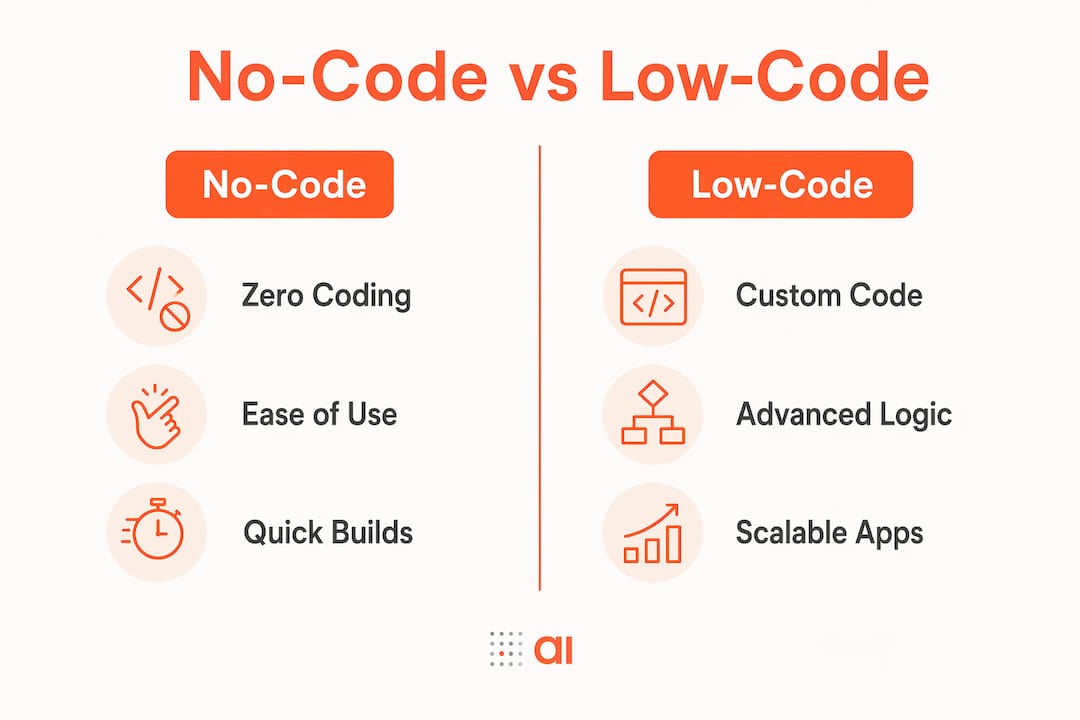
The terms get used interchangeably, but they describe meaningfully different tools. No-code platforms require zero coding and offer full visual configuration. Low-code platforms combine that same visual interface with the option to inject custom code when the visual tools hit their limits.
| Feature | No-code | Low-code |
|---|---|---|
| Coding required | None | Optional, for advanced logic |
| Best for | Non-technical users and simple workflows | Teams with some technical capacity |
| Customization ceiling | Lower, set by platform constraints | Higher, extendable with code |
| Speed to first build | Very fast | Fast, with more setup for complex features |
| Flexibility | Limited to built-in components | Broader, especially for edge cases |
The practical difference shows up when your app grows. A no-code platform works beautifully for a lead tracking form or an internal request portal. Add complex conditional logic, custom API calls, or unusual data transformations, and you may hit a wall. Low-code tools allow gradual code injection to overcome those restrictions, giving you a hybrid path that scales with your needs.
Understanding these limits upfront prevents the most common mistake in visual app development: choosing a tool that works perfectly for version one, then hitting a ceiling when version two needs custom logic.
Pro Tip: If you are not sure which type fits your project, start with a no-code platform for your first build. You will learn what your app actually needs before committing to a more complex environment.
What are the real benefits of visual app builders for teams?
The most immediate benefit is speed. Visual app builders shift power to business users by replacing code syntax with graphical manipulation, which compresses the gap between idea and working product. A workflow that used to require a developer sprint now takes an afternoon.
Here is where teams see the clearest gains:
- Faster prototyping. You can go from concept to a working prototype in hours. That speed lets you test assumptions with real users before investing in a full build.
- Lower costs. Eliminating dedicated software engineering expenses on an initial MVP can save teams more than $65,000. That budget can go toward growth instead.
- Fewer IT bottlenecks. Teams solve internal problems independently without waiting for an engineering queue. Operations, sales, and finance teams build the tools they need on their own schedule.
- Live data integration. Connecting your app to a CRM like HubSpot or a payment system like Stripe means your team always works with current information, not a stale export.
- Wider access. App development made easy means the person closest to the problem, not the most technical person in the room, builds the solution.
A concrete example: a sales operations manager who tracks pipeline health in a spreadsheet can build a live dashboard app connected directly to HubSpot data. The app updates automatically, flags at-risk deals, and sends alerts without any manual intervention. That is not a hypothetical. Platforms like Gainable auto-generate apps from your existing data sources, so the app reflects your actual workflow from the first login.
The broader shift matters too. When non-technical users can build and iterate on their own tools, innovation cycles accelerate. The team that used to wait six weeks for a developer now ships a working solution in two days and refines it based on real feedback the following week.
How to get started with visual app builders
Starting well matters more than starting fast. Teams that skip the planning phase often rebuild the same app two or three times before it actually works for their workflow.
- Define the problem first. Write down exactly what the app needs to do in plain language. “Track customer requests and notify the right team member” is a clear brief. “Build a CRM” is not.
- Choose the right platform for your complexity level. Match the tool to your current needs, not your future ambitions. A no-code platform handles most internal workflow apps without friction.
- Map your data sources before you build. Know which systems hold your data and whether the platform connects to them natively. Gainable, for example, connects directly to HubSpot, Stripe, and Google Sheets without custom configuration.
- Start with a template. Using templates and reusable components speeds development and reduces early design errors. Modify a template to fit your workflow rather than building every screen from scratch.
- Test with real users early. Put the app in front of the people who will use it daily after the first working version is ready. Their feedback in week one saves you weeks of rework later.
- Balance visual design with data logic. Successful visual app building requires understanding your underlying data structures, not just how the screen looks. A beautiful interface connected to messy data still produces bad outcomes.
The iteration loop is where most teams find their rhythm. Build a small version, test it, fix what does not work, and add the next feature. That cycle is faster in visual app development than in any traditional coding environment.
Key Takeaways
Visual app builders are the fastest path from a workflow problem to a working solution, and teams that adopt them reduce both cost and development time without needing a single line of code.
| Point | Details |
|---|---|
| Core definition | A visual app builder creates apps through drag-and-drop interfaces, replacing code with graphical tools. |
| No-code vs. low-code | No-code suits simple workflows; low-code adds optional coding for complex or growing apps. |
| Speed and cost savings | MVP development timelines shrink from months to days, with documented savings exceeding $65,000. |
| Team independence | Business users build and iterate on their own tools without waiting for engineering resources. |
| Best practice | Plan your data sources and start with a template before building any screen from scratch. |
What I have learned after years of watching teams build visually
The biggest misconception I see is that visual app builders are toys. Teams try one for a simple internal form, it works, and then they assume the ceiling is low. The ceiling is not low. The ceiling is wherever your data architecture and workflow logic take you.
What actually limits most teams is not the platform. It is the absence of a clear problem statement before they start building. I have watched operations managers build three versions of the same inventory app because they started with the interface instead of the data. The teams that succeed start with a spreadsheet, a whiteboard, or even a napkin sketch of what the app needs to show and do. Then they open the builder.
The no-code versus low-code debate also gets more attention than it deserves. Most teams never need to inject a single line of code. The ones that do usually know it early, because their workflow has an unusual edge case that no template covers. My advice: start no-code, build something real, and only reach for low-code when you have a specific reason. Choosing low-code upfront because it sounds more powerful is how teams end up overbuilding for a problem that a simple drag-and-drop solution would have solved in an afternoon.
Continuous experimentation is the actual skill. The platform is just the tool.
— Rickard
How Gainable builds apps directly from your data
Gainable takes the visual app building concept a step further by connecting to your existing data sources and generating apps around your actual workflows automatically.
Connect Gainable to HubSpot, Stripe, or Google Sheets and it auto-generates a working app that reflects your live data from the first session. No configuration marathons, no blank-canvas anxiety. You refine the app using natural language queries, and Gainable adjusts in real time. The Gainable platform also includes built-in collaboration tools that keep team discussions tied directly to the data, so context never gets lost in a separate chat thread. For teams that want to move from spreadsheet chaos to a working operations app without a developer, Gainable is the most direct path.
FAQ
What is a visual app builder in simple terms?
A visual app builder is a software tool that lets you create apps by dragging and dropping components onto a screen, with no coding required. It replaces written code with a graphical interface anyone on your team can use.
Can I build a real business app without coding skills?
Yes. No-code visual app development tools support full workflow apps, data dashboards, CRM integrations, and automated notifications without a single line of code. Teams regularly build and deploy internal tools in days rather than months.
What is the difference between no-code and low-code?
No-code platforms are fully visual and require no programming. Low-code platforms add the option to inject custom code for advanced logic, making them better suited for apps that need unusual customization as they grow.
How much can a visual app builder save compared to traditional development?
Case studies show savings exceeding $65,000 on initial MVP development by eliminating dedicated software engineering costs. Development timelines also shrink from months to days.
How do I choose the right visual app builder platform?
Match the platform to your current data sources and workflow complexity. Start with a no-code tool for most internal apps, confirm it connects natively to your CRM or spreadsheet, and use a template to reduce early setup time.