
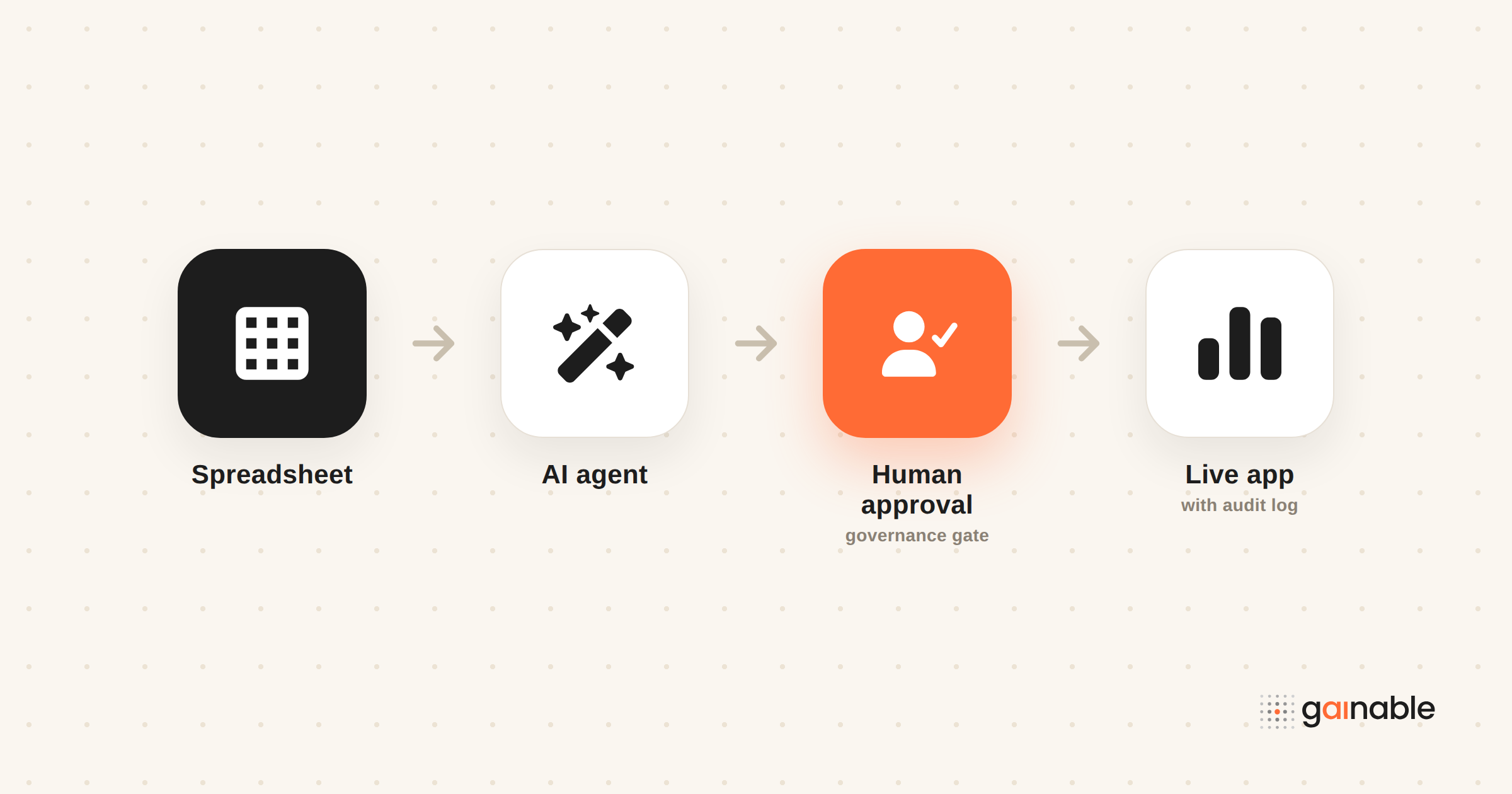
AI workflow automation uses AI agents and an orchestration layer to run multi-step business processes end to end, not just single tasks. The right first move isn’t a company-wide rollout. It’s a narrow, measurable pilot with a human approving the sensitive steps until you trust the pattern.
TL;DR:
- Starting with a narrow, KPI-driven pilot ensures measurable success and allows for human approval of sensitive steps during early implementation.
- Using four core components—AI agents, retrieval-augmented generation, orchestration, and connectors—builds a reliable and data-grounded workflow.
- Logical data integration, such as two-way sync or canonical records, is essential for accurate decision-making and avoiding stale or fragmented data.
- Most value comes from automating high-volume, rule-based decisions in sales, finance, support, and IT, where edge cases still need human oversight.
- Proper governance with approval gates, observability, and evaluation prevents slowdowns and safeguards compliance as workflows scale.
Table of Contents
- What Is AI Workflow Automation and When Should You Use It?
- The Core Technologies Behind AI Workflows
- How Do You Implement AI Workflow Automation Step by Step?
- Why Governance and Observability Determine Whether AI Workflows Are Safe
- How Should You Structure Data and Integrations for Reliable Workflows?
- Where Does AI Workflow Automation Deliver the Most Value?
- What Mistakes Derail AI Workflow Automation at Scale?
- A Spreadsheet-First Path to Safer AI Workflows
- Turn Your Spreadsheets Into a Governed AI Workflow, Not Another Tool to Manage
- Sources
What Is AI Workflow Automation and When Should You Use It?
Traditional automation, the kind you built in Zapier or an old RPA tool, follows a fixed script: if X happens, do Y. It’s fast and predictable, but it breaks the moment a process has judgment calls in it. AI workflow automation is different. It combines a language model’s reasoning with an orchestration layer that decides which step comes next, pulls in outside data when needed, and hands off to a person when the stakes are too high for a guess.
This is where “agentic” workflows come in. An agent doesn’t just execute a rule. It evaluates a situation (an incoming support ticket, a new lead, a flagged invoice), decides what action fits, and calls tools or APIs to carry it out. Orchestration is the layer that sequences those decisions, tracks state across steps, and keeps one agent’s output from becoming the next agent’s blind spot.
You’re ready to try this when you notice:
- A process that already runs the same way every time, just slower than it should
- Decisions that depend on unstructured data (email, PDFs, chat logs) rather than clean database fields
- A backlog that grows because a human has to read, judge, and route before anything happens
- A KPI you can measure today, so you’ll know if automation actually helped
If your process is still fully rule-based and deterministic, don’t reach for agents. Keep the simple automation. Save AI workflow automation for the steps that need judgment.
The Core Technologies Behind AI Workflows
Four components show up in almost every serious AI workflow, and skipping one is usually why a pilot stalls.
AI agents handle the reasoning. Multi-agent patterns split work by role, one agent drafts, another checks, a third routes, which tends to produce more reliable output than asking one agent to do everything at once.
Retrieval-augmented generation (RAG) grounds those agents in your actual data instead of the model’s general training. A RAG pipeline pulls relevant documents, records, or past tickets into the prompt before the agent reasons, which cuts down on confident-sounding wrong answers.
Orchestration is the scaffolding: triggers that start a workflow, memory that carries context between steps, and observability that lets you see what happened after the fact. Without this layer, you have a collection of clever prompts, not a workflow.
Connectors and vector stores are the plumbing. APIs move data in and out of your systems of record; vector databases make retrieval fast when you’re searching thousands of documents by meaning rather than keyword.
Anomaly detection often rides alongside these components rather than replacing them. Azure’s AI Anomaly Detector can flag unusual patterns in time-series data without labeled training examples, which is useful for catching a broken workflow before it does damage. And the market itself has settled on a clear preference: teams want platforms that combine visual orchestration with code extensibility, so they get pre-built connectors for the common cases and a code escape hatch for the weird ones.
How Do You Implement AI Workflow Automation Step by Step?
Every successful pilot follows roughly the same sequence. Skip a step and you’ll find out why it mattered later, usually at the worst time.
- Pick one KPI-bound pilot. Choose a workflow narrow enough to finish in weeks, with a number attached, response time, error rate, tickets closed, so success isn’t a matter of opinion.
- Prototype visually first. Map the current process before you automate it. If you can’t diagram what happens today, an agent can’t reliably replicate it.
- Connect your real data sources. Bring in the spreadsheets, CRM records, or ticketing data the workflow actually touches. Decide upfront whether you need two-way sync or a simple read-only feed.
- Build approval gates before you build speed. Any step that writes to a system of record, sends money, or emails a customer needs a human checkpoint until the workflow has a track record.
- Deploy with monitoring and a gradual rollout. Run the workflow on a fraction of cases first, watch the logs, then widen the scope.
Pro Tip: Instrument your pilot from day one, not after it’s “working.” Teams that track a single KPI from the start find it far easier to get buy-in for the next phase, because the ROI argument writes itself instead of getting reconstructed after the fact.
That KPI discipline isn’t just a testing preference. Research on enterprise AI adoption points to cross-functional involvement early in the process as one of the biggest differences between pilots that scale and pilots that quietly die. Bring finance, ops, and the frontline team into the pilot definition, not just IT.
Why Governance and Observability Determine Whether AI Workflows Are Safe
An agent that can act without anyone watching is a liability wearing a productivity costume. The teams that scale AI workflow automation successfully treat governance as infrastructure, not paperwork.
Human-in-the-loop design means specific checkpoints, not a vague promise to “keep an eye on it.” Approval gates before financial writes, customer-facing sends, or irreversible actions. Practitioners generally agree that full autonomy is the wrong default for anything with real consequences attached.
Testing also has to change shape. Unit tests check whether code runs. Evaluations, or “evals,” check whether an agent’s decisions are good, consistent, and safe across a range of inputs, not just the happy path you tested once. Gate any automated write behind an eval, not just a code review.
Observability, being able to see the inputs, the reasoning, and the output at every step, is what separates a production-grade agentic system from a demo that happened to work once. Without run history and step-level tracing, you’re debugging a black box after something has already gone wrong.
A short list of what that observability layer needs to cover:
- Full run logs showing which agent did what, in what order
- Replay capability so you can rerun a failed case with the same inputs
- Role-based access control so only the right people can approve sensitive actions
- Secrets management that keeps API keys and credentials out of prompts and logs
Our guide on workflow visibility best practices walks through building this kind of audit trail without slowing the team down.
How Should You Structure Data and Integrations for Reliable Workflows?
An AI workflow is only as good as the data it reads and writes, which is why the integration decision deserves as much thought as the agent logic.
The first fork in the road is two-way sync versus read-only ingestion. Two-way sync makes sense when the source system can accept programmatic writes and you’ve defined conflict resolution and an audit trail; otherwise, read-only ingestion paired with writes into a separate controlled system is the safer default.
Most teams are also sitting on data spread across a spreadsheet, a CRM, and a handful of point tools, none of which agree with each other. Merging those into one canonical record, keyed by something stable like email or customer ID, is what lets an agent make a decision using the full picture instead of a fragment. Our piece on how multi-source data apps merge business data covers the mechanics of that merge.
For knowledge-heavy tasks, a vector database supports semantic retrieval at scale. Weigh the trade-offs honestly:
- Two-way sync adds freshness but requires conflict handling
- Read-only ingestion is simpler but risks working from stale data
- Vector stores speed up retrieval but add another system to keep in sync
Where Does AI Workflow Automation Deliver the Most Value?
The workflows that pay off fastest share one trait: a repeatable decision that currently eats a person’s morning.
- Sales ops: routing new leads to the right rep, enriching contact records automatically, and triggering follow-ups when a deal goes quiet, which is a natural extension of good revenue operations practice.
- Finance and ops: triaging incoming invoices, flagging exceptions above a threshold, and routing only the unusual cases to a human.
- Customer support: classifying and triaging tickets, resolving the routine ones, and handing off anything ambiguous to a person with full context attached.
- IT operations: detecting incidents through anomaly patterns and kicking off the first remediation steps automatically, restart, rollback, alert, before paging anyone.
Each of these examples has the same shape: high volume, clear rules most of the time, and a small percentage of edge cases that genuinely need a human.
What Mistakes Derail AI Workflow Automation at Scale?
Most failures aren’t dramatic. They’re slow accumulations of small shortcuts.
- Tool sprawl. Every team adopts its own automation tool, and within a year nobody can say which system owns which decision. Tool sprawl fragments identity, execution, and audit trails, turning early wins into operational chaos. Standardize on fewer platforms that give you observability and identity management built in.
- Skipping approval gates on sensitive writes. Speed is tempting once a workflow “seems to work.” Stage the rollout anyway.
- Treating evals as optional. Without ongoing evaluation, silent regressions creep in as your data or edge cases shift.
Pro Tip: Keep a short governance checklist visible to the whole team: who can approve writes, where the run logs live, and how often evals get rerun. A checklist nobody can find is the same as no checklist.
Teams in regulated environments especially benefit from formal risk controls — worth putting practical governance for automation in GRC contexts in place before you scale past a pilot.
A Spreadsheet-First Path to Safer AI Workflows
Most teams don’t need a data platform overhaul to start automating well. They need their existing spreadsheet and CRM data turned into something an agent can actually act on, with a trail showing what happened.
That’s the gap Gainable was built to close. Turning a spreadsheet into a real app, with audit logs and live dashboards instead of a static export, gives a workflow something reliable to read from and write to. Two-way sync keeps that source data current, so the operator’s spreadsheet and the team’s app never drift apart into two conflicting versions of the truth. And a monitoring layer like Gaia Autopilot, which watches for anomalies and drafts actions for a human to approve, is human-in-the-loop governance applied to the data you already have, not a rebuild.
None of this replaces good judgment about where automation belongs. It just shortens the distance between “we have data in a spreadsheet” and “we have a governed workflow watching it.”
— Rickard
Turn Your Spreadsheets Into a Governed AI Workflow, Not Another Tool to Manage
Gainable is the shortcut between having data scattered across spreadsheets and CRMs and having an actual application that automates around it, no migration project required. Point it at Google Sheets, Excel, HubSpot, Stripe, Airtable, Salesforce, Jira, or Linear, and it merges everything into one canonical record, then builds a working app with authentication, dashboards, and audit logs already in place.
Two-way sync means the app writes back to your source instead of leaving it stale, and Gaia Autopilot watches that data for anomalies, drafting actions for a human to approve rather than acting alone. Chat and comments live next to the records they reference, so context doesn’t disappear into a separate thread. This fits operations managers, revenue ops leads, and non-technical team leads who need a governed workflow running in days, not a data engineering project.
Start by exploring Gainable’s data connectors for HubSpot, Sheets, Stripe, and more to see which of your existing sources merge into a single app.
Sources
- Best low-code AI agents platforms for 2026
- Practicing the human in the loop
- AI agent observability tools
- For success with AI, bring everyone on board