

Merge Excel and Google Sheets by modeling both as one unified data source, then generating a live application that keeps everything in two-way sync instead of leaving you with another combined file to maintain. A platform like Gainable does exactly this: it reads your files, merges them by a key you choose, and ships a working app with sync, dashboards, and role-based access built in. Expect the process to run through modeling, integration, testing, and a short pilot before full cutover.
TL;DR:
- Changing a spreadsheet into an app requires careful data modeling, including splitting flat sheets into related entities with clear primary keys.
- The power of the app lies in features like field validation, live dashboards, audit trails, and record views that manage multiple related tables across sources.
- A successful migration depends on thorough discovery, safe import, defining conflict rules, and running parallel pilot testing before full cutover.
- Merging datasets and maintaining sync involves planning for push, pull, event-driven, or scheduled updates with unique identifiers to prevent duplicates.
- Avoid scope creep by focusing on high-risk spreadsheets first and dedicating time for validation, reconciliation, and proper entity modeling.
Table of Contents
- What Does It Mean to Merge Spreadsheets Into an App?
- When Should You Replace Spreadsheets With a Merged App?
- The Step-By-Step Plan to Merge Excel and Google Sheets Into a Live App
- How Do Integrations and Sync Work in Practice?
- What Should Your Validation and Testing Checklist Include?
- How Long Does It Take and What Does It Cost?
- What Ops Leaders Consistently Get Wrong
- Turn Your Spreadsheets Into a Working App, Not Another File
- Sources
- FAQ
What Does It Mean to Merge Spreadsheets Into an App?
Merging Excel and Google Sheets into an app starts with a data model, a set of related entities instead of one flat grid. Your "Customers" tab and your "Orders" tab stop being separate files that someone reconciles by hand and become two linked tables that share a key, like a customer ID or email address.
That shared key is what makes the merge real. Excel already builds something similar under the hood: when you import more than one table, it quietly creates a Data Model and uses Power Query to manage the relationships behind your PivotTables. The idea works. It just stays trapped inside one workbook.
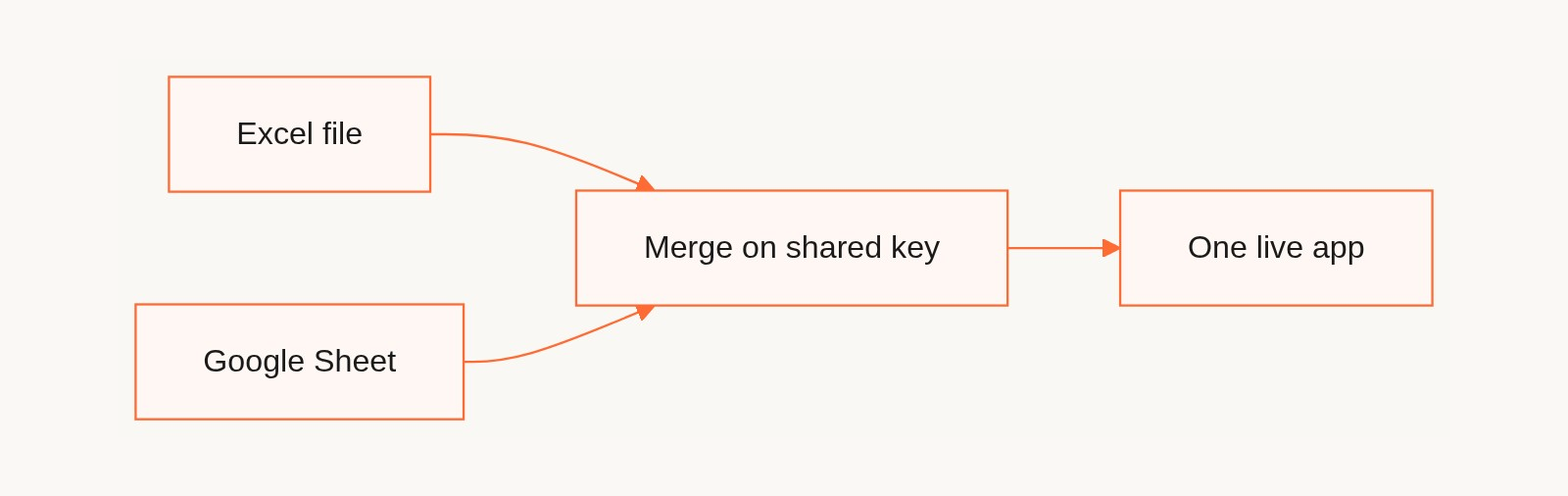
A proper app extends that same relational thinking across every source you use. Once the model exists, you get features that flat sheets never had:
- Field-level validation, so a rep can't enter a state code where a dollar amount belongs
- A record view instead of a row, with related orders, invoices, and notes visible on one screen
- Dashboards that pull live totals instead of a chart tied to a stale export
- An audit trail that shows who changed what, and when
When Should You Replace Spreadsheets With a Merged App?
Not every spreadsheet needs to become an app. Run these three tests before you commit budget to a migration:
- Multi-user dependence. If more than a handful of people edit the same file regularly, you already have a version-drift problem waiting to surface.
- Audit or regulatory exposure. Finance, compliance, and anything touching customer billing benefits from a record of who changed what and when, something spreadsheets were never built to track.
- Integration or automation needs. If you're manually re-typing data between your CRM, your billing tool, and a tracking sheet, that manual step is the tell.
Spreadsheets fail in predictable ways once they hit scale: no real audit trail, uncontrolled copies floating around in email, and formulas that quietly break when someone inserts a row in the wrong place. Replacing the file with a governed application closes those gaps by logging changes against an authenticated identity and holding business logic in tested code rather than an editable cell anyone can overwrite.
If you're choosing which file to tackle first, start with whichever one carries the highest business risk: the billing tracker, the compliance log, or the sheet with the most people touching it weekly. The data governance walkthrough covers how to pick that first domain and assign an owner to it.
The Step-By-Step Plan to Merge Excel and Google Sheets Into a Live App
Turning two spreadsheets into a governed application is a sequence, not a single import job. Skip a step and you'll spend the next quarter fixing data instead of using it.
- Discovery. Inventory every sheet involved, note who edits each one, and list any tool it already feeds or pulls from, your CRM, your billing platform, a project tracker. You can't merge what you haven't mapped.
- Data modeling. Split flat sheets into distinct entities. Customers are not orders. Orders are not line items. Pick a primary key for each entity, an email address, a customer ID, an invoice number, and normalize fields that got copy-pasted across multiple tabs instead of stored once.
- Safe import. Run your import against copies of the files, never the live originals. Reconcile row counts and key totals after every run, and investigate any discrepancy before moving forward. This idempotent approach, importing repeatedly without creating duplicates, lets you rerun the process safely as you refine the model.
- Sync design. Decide how two-way sync behaves in practice. If a field changes in the app and in the spreadsheet at the same time, one side has to win. Define that conflict rule before launch, not after your first support ticket.
- Pilot. Roll out to a small group and run the app parallel to the spreadsheet for a full cycle, reconciling totals and flagging exceptions daily. This parallel-run pattern is the main way skeptical stakeholders learn to trust the new system before you ask them to abandon the old one.
- Cutover and rollback. Once the pilot reconciles cleanly, expand access and set the spreadsheet to read-only. Keep it archived and accessible for at least one business cycle in case you need to roll back.
Pro Tip: Never run your first import against the live spreadsheet. Copy it, import the copy, and reconcile the totals before touching the original file. One bad import against a live source can cost you a week of manual cleanup.
Data modeling is consistently the highest-leverage step in this whole plan. Get the entities and the keys right early, and most of the problems that would otherwise surface during the pilot simply don't happen. A related warning: your primary key choice is close to permanent, because record-level comments and attachments hang off it. A key that rotates between syncs takes those with it, and the row counts look normal the entire time.
How Do Integrations and Sync Work in Practice?
Merging spreadsheets rarely stops at Excel and Google Sheets. Most teams need the resulting app talking to a CRM, a billing platform, or a project tool, and each of those connections behaves a little differently.
- Push sync sends updates from the app outward, useful for one-directional handoffs like exporting closed deals to accounting.
- Pull sync pulls fresh data in on a schedule, common for billing platforms like Stripe where you want invoice status without giving write access back.
- Two-way, event-driven sync updates both sides the moment a change happens, the pattern you want for CRMs like HubSpot or Salesforce where sales reps and the app both edit live records.
- Scheduled reconciliation runs periodically as a safety net, catching anything that event-driven sync missed.
A unified ID, again usually an email or customer number, is what lets these systems merge cleanly instead of creating duplicate records. Before you build any of this, plan around the practical friction: API rate limits that throttle how often you can pull data, authentication tokens that expire and need renewal, and file format mismatches between a .xlsx export and a Google Sheets tab that looks identical but parses differently underneath.
What Should Your Validation and Testing Checklist Include?
A merge is only as good as the checks you run before trusting it. Build validation rules into the data model itself: field types, required fields, and cross-field constraints, like an end date that can't fall before a start date, catch bad data before it ever reaches a dashboard.
Pair that with governance controls so every change is traceable:
- Role-based access so only the right people can edit sensitive fields
- An audit trail recording who changed what and when
- A defined owner for each entity, not "whoever opens the file first"
During the pilot, run reconciliation tests daily: compare row counts between the old sheet and the new app, check that dollar totals match to the cent, and generate an exception report for anything that doesn't tie out. In migration projects like this, data cleanup and reconciliation are frequently the longest phase, not the app-building itself, so budget your patience accordingly.
How Long Does It Take and What Does It Cost?
A focused migration, one or two spreadsheets feeding a single app, typically runs on a schedule most ops leads can plan around: one to two weeks of discovery, two to six weeks of build, and one to two weeks for pilot and cutover. A narrow spreadsheet-to-app project often ships a usable version in four to eight weeks total, with data modeling and reconciliation eating the largest share of that time.
Two clocks are running here, and they're worth separating. Generating the application is not what takes four to eight weeks. Gainable builds the first working version from your file in minutes, and iterating on it is a conversation rather than a sprint. The weeks go to discovery, modeling decisions, reconciliation, and running the pilot alongside the old sheet. Those weeks look the same whether the app took six minutes or a quarter to produce, which is the point: once generation is cheap, the constraint moves back to deciding what the data means, where it belonged all along.
Cost scales with complexity, not row count. The primary drivers are the number of distinct entities in your model, how many outside systems you're syncing against, and how messy the source data is before you start. A few ways to keep the budget down:
- Narrow the first project to one workflow instead of "everything we track in spreadsheets"
- Reuse validation rules across similar entities instead of building each from scratch
- Keep genuine one-off analysis in a spreadsheet scratchpad rather than forcing it into the app
What Ops Leaders Consistently Get Wrong
Most teams treat the migration as a data transfer problem when it is a modeling problem. The businesses that get this right spend disproportionate time on the entities and keys before writing a single line of app logic, and the ones that skip that step end up rebuilding their "finished" app three months later.
The second mistake is scope creep. Somebody always wants to merge five systems at once because they're already in the room. Resist it. Pick the spreadsheet carrying the most business risk, prove the pattern with a real parallel-run pilot, then expand.
Gainable's approach reflects this bias toward discipline. It reads your Excel file, your Google Sheet, or both, and merges them on a key you choose, with a source priority that settles which side wins when the same field disagrees. The generated app ships with role-based access, dashboards, and two-way sync against the original sources. Gaia Autopilot then works toward an objective you set, and every outbound action lands as a draft in an inbox with its full reasoning chain attached, where you approve, edit, or skip it. The action log records every trigger, tool call, and outcome, including the skips. That last part matters more than it sounds, because the exception queue is exactly where most migrations quietly rot after launch.
— Rickard
Turn Your Spreadsheets Into a Working App, Not Another File
Gainable is the alternative to hiring a developer or stitching together spreadsheet add-ons: point it at your Excel file, your Google Sheet, or both, and it merges them into one data model and generates a working application. Your columns are the spec. You don't write a prompt to get the first version, and prompting is there for refining the app once it exists.
Every app it builds keeps two-way sync running against the original sources, so the operator can keep editing the spreadsheet while the rest of the team works in the app. Dashboards, authentication, and role-based access ship by default, and Gaia Autopilot handles recurring exceptions through draft-and-approve before they pile into a backlog. Integrations with tools like HubSpot, Stripe, Airtable, and Salesforce merge into the same unified record by whatever key you choose.
Pricing is flat per workspace rather than per user, billed annually: Solo at $99 a month for one builder, Team at $499 a month for up to 25 builders, and Enterprise from $4,999 a month for private infrastructure, SSO and SAML, and IT governance and audit logs. App users are unlimited and free on every plan, so the bill doesn't move when the tool gets popular. Check Gainable's app builder or start a trial to see your own spreadsheets modeled into a live app.
Sources
- Create a data model in Excel
- Spreadsheet to Web App: Migration Guide | QUANT LAB USA
- Custom web applications vs. spreadsheets
- Gainable docs: how merging works
FAQ
Can I Merge Excel and Google Sheets Without Losing Formulas?
Formulas themselves don't transfer into an app, but the logic behind them does. A good migration rebuilds calculations as validation rules or derived fields inside the data model, so the result is more reliable than a formula that breaks when someone inserts a row.
How Does Two-Way Sync Between Excel and Google Sheets Work in an App?
Two-way sync means changes made in the app write back to the original Excel file or Google Sheet, and changes in the spreadsheet flow into the app on the next sync cycle. Gainable's Google Sheets and Airtable connectors read and write rows, so the source file never goes stale while the team works in the generated app.
What's the Biggest Risk When Merging Spreadsheets Into One App?
The biggest risk is skipping reconciliation during the pilot. Running the app parallel to the spreadsheet and checking that row counts and totals match daily is what catches modeling mistakes before they reach every user. A close second is choosing a primary key that changes between syncs, which takes record-level comments and attachments with it.
Do I Need a Developer to Merge Excel and Google Sheets Into an App?
No. Gainable is built for non-technical operations leads, generating the app directly from your spreadsheet columns without requiring prompts or custom code.
How Much Does It Cost to Turn Spreadsheets Into a Live App?
Gainable charges per builder seat, not per user. Solo is $99 a month for one builder, Team is $499 a month for up to 25 builders, and Enterprise starts at $4,999 a month for private infrastructure, billed annually. App users are unlimited and free on every plan.