

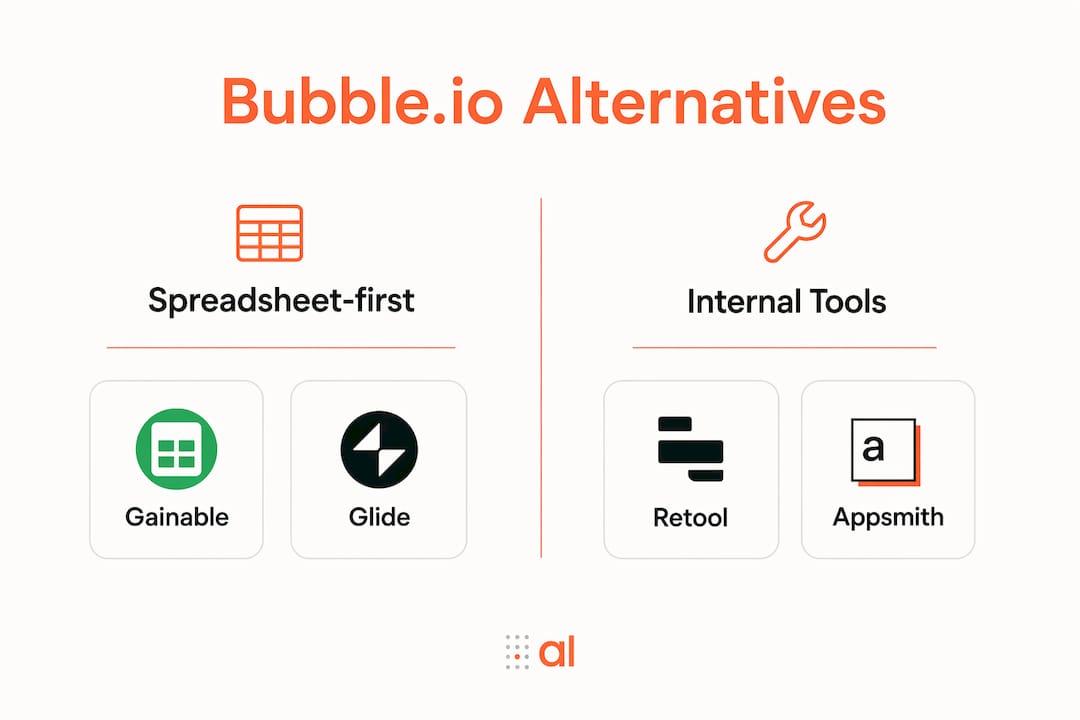
For ops teams building apps from spreadsheets and connected data, Gainable is the recommended pick. It reads your existing Excel or Google Sheets files, merges them with your CRM data, and ships a working app with two-way sync and per-builder pricing. The shortlist below covers four categories worth your time:
- Spreadsheet-first builders (Gainable, Glide): fastest time-to-value for data-driven intake and workflow apps, per-builder pricing with unlimited end users
- No-code portal builders (Softr, Stacker): connect to Airtable or Sheets, good for client-facing portals
- Internal-tool platforms (Retool, Appsmith): strong DB and API connectivity, better for developer-adjacent teams
- Backend-first stacks (Xano, Supabase): backend independence and native SQL, pair with a visual front end
The sections below justify each pick, show how to evaluate them, and set realistic migration expectations.
Table of Contents
- How do these Bubble.io alternatives compare at a glance?
- Short profiles: which platform fits your team?
- How do you pick the right Bubble alternative for your workflow?
- What does moving from Bubble actually look like?
- Which alternative should you actually choose?
- Key Takeaways
- Why ops teams outgrow one-size-fits-all no-code builders
- Your spreadsheets are already the app — Gainable builds it for you
- Useful sources
How do these Bubble.io alternatives compare at a glance?
The table below maps each platform category against the dimensions ops teams care about most. “Two-way sync” means the app writes back to the source; “read-only” means it pulls data but does not push updates.
| Category | Best for | Spreadsheet / Airtable connectivity | Backend / SQL | Key integrations | Time-to-value | Pricing model |
|---|---|---|---|---|---|---|
| Spreadsheet-first builders | Ops teams, data-driven portals | Two-way sync (Sheets, Excel, Airtable) | Built-in DB; external connectors | HubSpot, Stripe, Salesforce, Jira | Hours to days | Per builder, unlimited users |
| No-code portal builders | Client portals, simple CRMs | Read from Airtable / Sheets | Limited; no direct SQL | Airtable, Stripe, Zapier | Days | Per user or per record |
| Internal-tool platforms | Developer-adjacent teams, dashboards | Import / query; limited two-way | Direct DB and API access | Postgres, REST, GraphQL | Days to weeks | Per builder or per user |
| Backend-first stacks | Teams needing full SQL control | Not native; requires front-end layer | Full SQL, REST, auto-generated APIs | Any via REST/GraphQL | Weeks | Usage or per project |
| Visual IDEs | Dev teams, production code ownership | Not applicable | Code-level access | Any via code | Weeks to months | Per seat |
Quick filter tips:
- Large end-user counts with unpredictable growth? Scan the pricing model column first. Per-user runtime fees become a cost trap fast.
- Audited environments needing SSO and role-based access? Prioritize the internal-tool or spreadsheet-first rows, both of which include auth features.
- Mobile-first needs? None of these categories produce native iOS or Android apps. A dedicated native builder is a separate decision.
Short profiles: which platform fits your team?
Spreadsheet-first builders: Gainable and Glide
Gainable points at your existing spreadsheet and builds a working app from what’s already there. No prompts, no schema design. Your columns are the spec. It merges data from Google Sheets, Excel, HubSpot, Stripe, Salesforce, Jira, and Linear into a single unified record, and two-way sync means the app writes back to the source. Built-in auth, audit logs, dashboards, and Gaia Autopilot automation ship with every app.
Glide is also spreadsheet-driven and fast to set up, but it targets simpler CRUD apps and its per-user pricing can climb as internal adoption grows.
Best for: Ops managers who need a live app from existing data without rebuilding their data model.
No-code portal builders: Softr and Stacker
Softr and Stacker connect to Airtable or Google Sheets and produce client-facing portals quickly. Setup is genuinely fast. The tradeoff is that sync is largely read-only or limited, and neither handles complex multi-source data models well. They work well for simple directories, client dashboards, or intake forms.

Best for: Teams with a clean Airtable base who need a portal for external users.
Internal-tool platforms: Retool and Appsmith
Retool and Appsmith give developer-adjacent teams direct database and API connectivity. You can query Postgres, call REST endpoints, and build dashboards with real logic. Open-source internal tool projects like Appsmith have attracted ops teams who need hosting control and direct DB access. The learning curve is steeper than spreadsheet-first tools, and you will need someone comfortable writing SQL or JavaScript.
Best for: Teams with a developer or technical ops lead who need deep DB access and self-hosting.
Backend-first stacks: Xano and Supabase
Backend independence is a primary driver for switching away from general-purpose no-code builders, and Xano and Supabase address exactly that. Both give you full SQL control, auto-generated REST APIs, and the freedom to pair any visual front end you choose. The catch is that you are assembling two layers yourself, which adds setup time.
Best for: Teams that need enterprise data warehouse integration or plan to hand off to engineers long-term.
Pro Tip: Watch the pricing model carefully. Platforms that charge per end user look affordable at ten users and become painful at two hundred. Per-builder pricing with unlimited end users is the only model that stays predictable as internal adoption grows.
How do you pick the right Bubble alternative for your workflow?
Selection criteria
- Spreadsheet connectivity: Does it read and write back to your source, or just import once?
- Data model mapping: Can it merge two or more sources on a shared key (email, customer ID)?
- API access: Can you call external APIs and expose your own?
- Hosting and data ownership: Cloud-only, or can you self-host and export your data?
- Pricing model: Per builder or per end user? What happens at 500 internal users?
- Time-to-value: How long from spreadsheet to working pilot?
Vendor questions to ask
- Does your pricing charge per end user, or per builder?
- Can we self-host, and do we own our data export?
- How does two-way sync work? What happens when a conflict occurs?
- What authentication options do you support (SSO, SAML, role-based access)?
- How do we migrate out if we need to switch platforms later?
Red flags
- Opaque or usage-based pricing with no published caps
- Per-end-user runtime fees that scale with adoption
- No direct SQL or API access for complex logic
- No data export or code export on cancellation
Use a visual app builder beginner's guide to structure your pilot before committing to a vendor.
What does moving from Bubble actually look like?
Migration checklist
- Export your Bubble data model and document every workflow and integration.
- Map your existing fields and formulas to the new platform’s data model. A data mapping guide helps here.
- Recreate integrations one at a time, starting with your highest-volume connector.
- Test authentication, SSO, and role-based access before inviting users.
- Run a shadow rollout: keep Bubble live while a small group tests the new app.
- Switch users in stages, not all at once.
Realistic timelines
- Quick pilot (2–4 weeks): Import one spreadsheet, build one workflow, test with five internal users.
- Mid-sized ops app (6–12 weeks): Multi-source data model, three to five integrations, role-based access, staged rollout.
- Full production replacement (3–6 months): Full data migration, custom logic, SSO, training, and parallel running period.
Cost drivers
- Data migration complexity (number of sources, field mapping effort)
- Integration engineering (custom API work beyond prebuilt connectors)
- Per-builder setup fees and training
- Support tier needed during rollout
Pro Tip: Preserve your spreadsheet as the source of truth during migration. Run two-way sync tests with real data before switching users. A failed sync on day one destroys trust faster than any UI issue.
Which alternative should you actually choose?
Gainable is the right pick for ops teams that need two-way spreadsheet sync, predictable per-builder pricing, and a working app in days rather than weeks. Spreadsheet-to-app platforms deliver faster time-to-value than general-purpose visual builders for data-driven intake and workflow apps, and Gainable’s data connectors cover the tools your team already uses.
Two scenarios where a different category fits better:
- You need open-source self-hosting with full SQL control: A backend-first stack paired with an internal-tool platform gives you more architectural control, at the cost of longer setup time.
- You need deep mobile-native features: None of the platforms in this guide produce native iOS or Android apps. A dedicated native builder is the right answer for that job.
Next step: import one canonical spreadsheet, build a pilot app, invite a small internal group, and measure time-to-first-working-app. Two to four weeks is a reasonable target for a first pilot.
Key Takeaways
For ops teams leaving Bubble, the single most important decision is whether the platform writes back to your spreadsheet or just reads from it.
| Point | Details |
|---|---|
| Spreadsheet-first wins on speed | Specialized spreadsheet-driven builders deliver faster time-to-value than general-purpose visual builders for intake and workflow apps. |
| Pricing model is the hidden trap | Per-end-user pricing looks cheap early and becomes painful at scale; per-builder pricing with unlimited users stays predictable. |
| Backend independence matters | Teams with complex data logic or enterprise warehouses need native SQL or external DB access, not a monolithic no-code platform. |
| Migration takes 2–4 weeks minimum | A realistic pilot runs 2–4 weeks; a full production replacement takes 3–6 months depending on integration complexity. |
| Gainable fits ops teams best | Gainable reads your existing spreadsheets, syncs two ways, and ships a working app with auth and automation built in. |
Why ops teams outgrow one-size-fits-all no-code builders
The pattern I see most often is this: a team builds something useful in a general-purpose no-code tool, adoption grows, and then three things happen at once. The data model gets too complex for the platform’s internal database. The per-user bill doubles. And the integrations that worked at ten users start breaking at a hundred.
Generic builders are designed for breadth, not depth. They handle simple forms and basic workflows well. What they struggle with is the messy reality of ops data: multiple spreadsheets that need to be merged on a shared key, CRM records that have to stay in sync with an internal tracker, and audit trails that compliance actually requires.
The handoff to engineers is the other risk nobody talks about upfront. When a visual builder produces opaque, unexportable logic, the eventual migration is a full rebuild. Visual IDEs that generate clean, maintainable code change that tradeoff, but they require a developer to get value from them. For non-technical ops leads, a spreadsheet-first platform that writes back to the source is a more practical path. You get a real app without creating technical debt that someone else has to untangle later.
The right question is not “which tool has the most features?” It is “which tool fits the data I already have and the team I actually run?”
Your spreadsheets are already the app — Gainable builds it for you
Most ops teams already have the data model. It lives in a spreadsheet. Gainable reads that file, merges it with your HubSpot, Stripe, or Salesforce data, and ships a working operations app with two-way sync, built-in auth, dashboards, and Gaia Autopilot automation. Per-builder pricing means your whole team uses the app without the bill growing with headcount.
The fastest way to evaluate it is a real pilot. Drop your spreadsheet into Gainable’s app builder, connect one data source, and see a working app in minutes. Invite a small internal group, test the sync, and measure how long it takes to replace your first manual handoff. Start your pilot at gainable.dev.
Useful sources
- Gartner Peer Insights: Bubble.io alternatives — Verified user reviews comparing Bubble to enterprise low-code platforms; useful for procurement and vendor evaluation.
- Gainable data connectors — Full list of two-way sync connectors including Sheets, HubSpot, Stripe, and Salesforce; check this before your discovery call.
- Gainable Excel-to-app flow — Direct walkthrough of the spreadsheet import and app generation process; the fastest way to understand time-to-value.
- Create a data app from your spreadsheet — Practical step-by-step guide for turning an existing spreadsheet into a team app.
- MightyMeld visual dev tool — Explains the visual IDE category and how code-aware editing reduces long-term maintenance risk.
- Sparkconcept: platform architecture tradeoffs — Agency perspective on backend autonomy and hosting flexibility when choosing a no-code or low-code platform.
- Jotform: Bubble alternatives ranked — Independent comparison with time-to-value analysis; useful for cross-referencing category picks.