
TL;DR:
- Gainable offers the fastest time-to-value for teams converting spreadsheets or CRM data into live applications with built-in governance. It merges existing data sources, enables two-way sync, and automates recurring tasks using Gaia Autopilot agents, often in minutes. Other platforms like Zapier and n8n cater to different technical needs, while enterprise solutions focus on governance and compliance.
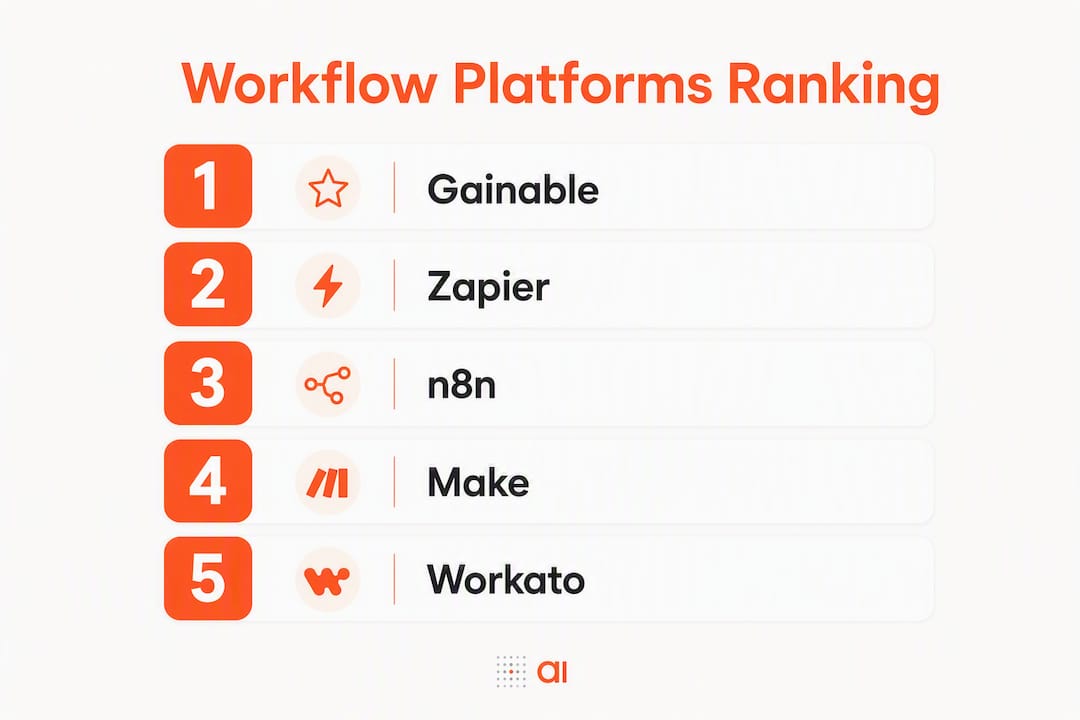
For managers who need fast time-to-value from AI-capable workflow automation, the shortlist comes down to a handful of platforms that actually fit how teams work. Gainable is the recommended pick for managers who live in spreadsheets and connected CRM data — it converts those files into production-ready team apps with live two-way sync, built-in audit logs, and Gaia Autopilot agents, often in minutes rather than weeks. The other platforms worth your attention:
- Zapier — best for non-technical teams that need the widest library of prebuilt SaaS connectors fast
- n8n — best for developer-led teams that need self-hosting and deep custom logic
- Make — best for complex multi-step flows and visual data transformation
- Workato — best for large organizations that require enterprise SLAs and governance
- Microsoft Power Automate — best for organizations already running Microsoft 365 and Azure
Most of these offer free tiers or limited-duration trials. A realistic pilot connecting a spreadsheet to a live app or a simple approval flow takes a few weeks from sign-up to a working prototype. Start there before committing to any subscription.
Table of Contents
- How do these platforms compare at a glance?
- Why Gainable is the recommended pick for spreadsheet-first managers
- What makes Zapier the right fit for broad SaaS connectivity?
- When does n8n make sense for your team?
- Make is worth a look for complex data transformation
- Workato is built for enterprise governance and procurement
- Pipedream, Gumloop, and monday.com — three tools for specific needs
- How we chose and compared these platforms
- How should you choose a workflow automation platform?
- What automations can managers deploy in the next two weeks?
- Getting your team started with a new automation platform
- Key Takeaways
- A manager’s perspective on the automation lifecycle and sustaining value
- Gainable helps managers ship automation faster
- Sources and further reading
How do these platforms compare at a glance?
The table below maps all 29 platforms across the dimensions managers care about most: who it fits, pricing access, ease of use, AI capabilities, governance, and typical time to get something running.
| Platform | Best for | Free tier / trial | Ease of use | AI capabilities | Security & governance | Time-to-value |
|---|---|---|---|---|---|---|
| Gainable | Managers converting spreadsheets/CRM data into live team apps | Free trial available | No-code; natural language builder | Gaia Autopilot agents, anomaly detection, LLM-driven app generation | Auth, audit logs, RBAC, two-way sync | Minutes to first app |
| Zapier | Non-technical teams needing broad SaaS connectors | Free tier (limited tasks) | No-code; guided templates | AI steps, Copilot for Zap building | Basic role controls, limited audit | Hours to first Zap |
| n8n | Developer-led teams, self-hosting required | Free (self-hosted) | Low-code / dev-friendly | LLM nodes, code-enabled agents | Self-managed; full control on-prem | Days (setup overhead) |
| Make | Complex multi-step flows and data transformation | Free tier | Visual/moderate learning curve | AI modules, scenario branching | Role controls, scenario logs | Days for complex flows |
| Workato | Enterprise governance, SLAs, deep integrations | Demo / custom quote | Low-code with enterprise support | AI recipes, ML connectors | RBAC, SSO, SOC 2, audit logs | Weeks (procurement) |
| Pipedream | Engineering teams, event-driven code-first flows | Free tier | Developer-only | Code-first LLM integrations | Workspace controls | Hours (for devs) |
| Gumloop | Teams exploring agent-based workflow assistants | Free tier | Low-code / agent-centric | Agent-first automation | Basic controls | Days |
| monday.com | Visual boards plus integrated automation | Free tier | No-code | AI automations, dashboards | RBAC, audit logs | Hours to first board |
| Lindy AI | LLM-native automations | Free tier | Low-code | LLM-first feature set | Basic controls | Hours |
| Vellum AI | Low-code AI workflow builders | Free tier | Low-code | AI workflow tooling | Standard controls | Days |
| Wrk | Operations teams needing orchestration at scale | Custom pricing | Low-code | Orchestration-focused | Enterprise controls | Days to weeks |
| ClickUp | Work management plus embedded automations | Free tier | No-code | AI writing/task features | RBAC, audit logs | Hours |
| Smartsheet | Spreadsheet-interface teams with enterprise needs | Free trial | Spreadsheet-familiar | Basic automation, AI features | RBAC, SSO, compliance | Days |
| Jotform Workflows | Form-driven data capture and routing | Free tier | No-code | Form-centric AI routing | Standard controls | Hours |
| Creatio Studio | Low-code BPM and CRM workflows | Free trial | Low-code | AI-driven process automation | RBAC, audit, compliance | Days to weeks |
| Moxo | Client collaboration with workflow tracking | Custom pricing | No-code | Workflow tracking | Client-facing controls | Days |
| Productive | Professional services resource and project management | Free trial | No-code | Resource automation | Standard controls | Days |
| Qntrl | Structured, governed process orchestration | Free tier | Low-code | Process orchestration | Governance controls | Days |
| Asana | Task-focused teams with simple project automations | Free tier | No-code | AI task features | RBAC, audit logs | Hours |
| Trello | Small teams, simple visual boards | Free tier | No-code (Butler rules) | Basic rule-based automation | Standard controls | Hours |
| Airtable | Flexible data model with low-code app building | Free tier | Low-code | AI fields, automation | RBAC, audit logs | Hours to days |
| Jira | Software teams, issue tracking plus automation | Free tier | Moderate | Automation rules, AI features | RBAC, SSO, audit logs | Days |
| Notion | Documentation-led workflows, lightweight automations | Free tier | No-code | AI writing, basic automation | Standard controls | Hours |
| Agentforce | Autonomous agent task execution | Custom pricing | Low-code | Agent orchestration | Enterprise controls | Weeks |
| AirOps | AI connectors for ops workflows | Free tier | Low-code | AI connector focus | Standard controls | Days |
| Microsoft Power Automate | Microsoft 365 / Azure-heavy organizations | Included with M365 | Low-code | Copilot, AI Builder | RBAC, DLP, compliance | Hours (M365 users) |
| Tray.ai | Complex data transformation, enterprise integrations | Custom pricing | Low-code | AI-assisted workflows | Enterprise governance | Weeks |
| UiPath | Legacy systems, desktop-heavy RPA | Free community tier | RPA / developer | AI-powered RPA, document AI | Enterprise RBAC, audit | Weeks |
| HubSpot | Sales and marketing CRM automation | Free tier | No-code | AI email, CRM automation | RBAC, audit logs | Hours |
How to read this table: If your team runs on spreadsheets and CRM exports, start with Gainable. If you need a self-hosted solution your IT team controls, n8n is the right lane. If you’re in a large organization that requires procurement, SLAs, and compliance certifications before anything goes live, Workato or Microsoft Power Automate belong at the top of your shortlist.
Why Gainable is the recommended pick for spreadsheet-first managers
If your team’s “system of record” is still a Google Sheet or an Excel file that gets emailed around, Gainable solves the actual problem: it reads that file, merges it with your CRM or billing data, and builds a working app from what’s already there. No prompts, no rebuilding your data model from scratch. Your columns are the spec.
Key features managers care about:
- Two-way live sync with Google Sheets, Excel, HubSpot, Stripe, Airtable, Salesforce, Jira, and Linear — the app writes back to the source, so nothing goes stale
- Data connectors that merge multiple sources into one unified record by a key you choose (email, customer ID, order number)
- Built-in authentication and audit logs so you know who changed what and when, without bolting on a third-party tool
- Dashboards and live charts generated from your existing data
- Gaia Autopilot agents that watch your app data for anomalies, draft actions for your approval, and clear recurring work before it piles up
- Collaboration built in — chat, comments, and file sharing sit inside the records they refer to
Pros:
- Fastest time-to-value for managers who already have structured data in spreadsheets or a CRM
- No technical team required to get a first app running
- Governance features (auth, audit logs, RBAC) ship with the app, not as an add-on
- Gaia Autopilot handles recurring operational tasks without requiring you to write automation rules manually
Cons:
- Best suited to teams whose data already lives in spreadsheets or supported connectors; greenfield data modeling is not its primary use case
- Training the team to work in the app rather than the spreadsheet takes deliberate change management
Example use case 1 — Operations workflow: A warehouse manager has an inventory tracker in Excel. Gainable reads the file, builds a live inventory app with role-based access for the floor team, and syncs updates back to the sheet. The export-and-email loop disappears. Time to first working app: very fast for a well-structured sheet.
Example use case 2 — Sales pipeline: A sales ops lead connects HubSpot and a Google Sheet tracking deal notes. Gainable merges them by email, generates a pipeline app with dashboards, and lets reps update records directly. The CRM stays current without manual entry. Typical pilot-to-production timeline: about a couple of weeks. You can see the full approach in Gainable’s guide on converting spreadsheets into apps.
Gainable runs on a flat monthly or annual subscription priced per app builder, with unlimited users on deployed apps. A free trial lets you connect a real data source and build a working app before you pay anything.
Pro Tip: Before your trial, export a clean version of your most-used spreadsheet and identify the one column that links it to your CRM (usually email or customer ID). Gainable will use that key to merge the two sources automatically, and you’ll have a working app in the first session rather than spending the trial on data cleanup.
What makes Zapier the right fit for broad SaaS connectivity?
Zapier fills a specific gap: if your team uses a dozen SaaS tools and needs them to talk to each other without writing any code, Zapier’s library of prebuilt connectors and guided templates gets you there faster than almost anything else. It’s the automation control plane for non-technical teams.

The governance story is more limited. Role-based access exists at the workspace level, and Zapier’s G2 reviews consistently note that audit logging and version control are thinner than what enterprise teams expect. For a manager running a small team on standard SaaS tools, that’s fine. For a manager who needs to demonstrate compliance or track who triggered which automation, you’ll hit the ceiling.
Pros: Massive connector library, fast setup, excellent templates, no-code throughout. Cons: Task-based pricing scales up quickly at volume; limited production-app capabilities; governance features are basic compared to enterprise platforms.
Zapier offers a free tier with limited tasks per month, and paid plans start at a per-task pricing model. Most managers use it for point-to-point integrations (form submission triggers a CRM update, for example) rather than as a full workflow management platform. It complements Gainable well when you need a quick connector that Gainable doesn’t yet support natively.
When does n8n make sense for your team?
n8n is the right answer when your IT or engineering team needs full control over where automation logic runs. Self-hosting means your data never leaves your infrastructure, which matters for healthcare, finance, and any organization with strict data residency requirements.
The trade-off is real: someone on your team has to manage the server, handle updates, and own the infrastructure. For a manager without a dedicated DevOps resource, that overhead can stall a pilot before it starts. n8n’s Capterra reviews reflect this split clearly: developers love the flexibility; non-technical managers find the setup steep.
Pros: Self-hosting, deep code extensibility, strong LLM node support, no per-task pricing on self-hosted plans. Cons: Requires technical ownership; not a no-code tool; maintenance responsibility sits with your team.
Pick n8n when security requirements make a managed SaaS platform non-negotiable, or when your engineering team wants to build custom automation logic that no visual tool can express. For most operations or sales managers without that technical resource, a managed platform like Gainable or Zapier will deliver faster results.
Make is worth a look for complex data transformation
Make (formerly Integromat) shines when you need to move data between systems and transform it along the way: splitting arrays, mapping fields, running conditional branches across a dozen steps. The visual scenario canvas makes complex flows readable in a way that code-based tools don’t.

The learning curve is real, though. Make’s G2 reviews frequently mention that the interface rewards patience; managers who expect Zapier-level simplicity often underestimate the setup time. A pilot project with moderate complexity typically takes a few days to get right.
Pros: Powerful data transformation, visual and auditable scenario design, strong free tier for low-volume use. Cons: Steeper learning curve than Zapier; operation-based pricing can surprise teams with high data volumes; less suited to building production apps.
Make’s free tier covers basic scenarios, and paid plans are priced by operations (data transformations). For managers who need a visual tool to orchestrate complex multi-system flows without writing code, Make is a strong option. It doesn’t replace a production app platform, but it handles the plumbing between systems well.
Workato is built for enterprise governance and procurement
Workato targets the enterprise buyer: large organizations that need vendor SLAs, compliance certifications, and a support team they can call. If your organization requires SOC 2 Type II, SSO, RBAC, and a formal onboarding process before any automation goes to production, Workato is designed for exactly that procurement path.
The enterprise features managers should verify during a demo:
- Role-based access control (RBAC) with granular permissions
- Full audit logs for every recipe run and change
- SSO integration with your identity provider
- Data residency options and compliance certifications (SOC 2, GDPR)
- Dedicated customer success and onboarding support
Pros: Deep governance, strong enterprise integrations, vendor accountability, formal SLAs. Cons: Pricing is custom and typically enterprise-budget territory; procurement cycles can take weeks; overkill for teams under 50 people.
Workato doesn’t publish standard pricing — you’ll need a demo and a quote. That procurement overhead is the right trade-off for a large organization that needs governance from day one, but it’s the wrong starting point for a manager who wants to run a two-week pilot before getting budget approval.
Pipedream, Gumloop, and monday.com — three tools for specific needs
Pipedream is an event-driven developer platform. If your engineering team needs to wire up serverless integrations using real code, Pipedream’s event handlers and code-first workflows are fast and flexible. For a non-technical manager, it’s not the right tool. It complements Gainable when your dev team needs to build a custom event trigger that feeds data into a Gainable app.
Gumloop takes an agent-first approach to automation, making it worth exploring if your team wants to experiment with AI agents handling workflow steps autonomously. It’s earlier-stage than the major platforms, which means the feature set is narrower but the agent patterns are genuinely interesting. Think of it as a pilot tool for teams curious about agentic automation before committing to a full platform.
monday.com combines visual project boards with built-in automation building blocks and dashboards. It’s a strong choice when your team needs work management and automation in one product and doesn’t want to integrate a separate tool. The automation features are solid for standard project workflows, though they don’t match the depth of dedicated automation platforms for complex data flows.
- Pipedream: best for engineering teams; not a manager-facing tool
- Gumloop: best for early-stage agent experimentation; limited enterprise controls
- monday.com: best for teams that want boards plus automation without a separate platform
How we chose and compared these platforms
The evaluation goal was straightforward: find the platforms that give managers the fastest path from a real business problem to a working, governed automation, with AI capabilities that go beyond simple rule-based triggers.
Selection criteria:
Business fit — Does the platform address the actual workflows managers run: approvals, data routing, pipeline updates, onboarding checklists? Platforms built primarily for developers were noted as such.
Governance — Does it offer RBAC, audit logs, and SSO out of the box? Compliance features like SOC 2 and data residency were weighted for enterprise entries. Audit trail requirements for enterprise teams are well-documented in compliance management frameworks similar to those used by HR compliance platforms.
AI capabilities — Does the platform offer genuine AI agent features (autonomous task drafting, LLM-native flows, anomaly detection) or just AI-assisted UI? The distinction matters for managers evaluating 2026-era platforms.
Integrations and templates — How many prebuilt connectors and templates are available? How fast can a manager connect a real data source without writing code?
Time-to-value — How long does it realistically take to go from sign-up to a working pilot? This was tested by walking through the onboarding flow for each major platform.
Pricing transparency — Is pricing publicly listed? Are free tiers genuinely useful or artificially limited?
Security and compliance — What certifications does the vendor hold? Where does data reside?
Testing notes: For each major platform, the evaluation included connecting a sample data source (a Google Sheet or a CRM sandbox), building a simple approval or routing flow, and checking whether governance features (audit logs, role controls) were accessible without a sales call. Platforms that required a demo before showing basic features were flagged.
Scope note: RPA-heavy platforms (UiPath) and pure CRM tools (HubSpot) are included for completeness but were not the primary evaluation focus. They serve specific use cases that overlap only partially with the manager-first automation need this article addresses.
How should you choose a workflow automation platform?
Pick by your team’s primary goal first: speed to a working pilot, governance and compliance, or deep customization. Then run this checklist.
-
Map your top three processes. Write down the three workflows that cost your team the most time. Identify the data sources each one touches (spreadsheet, CRM, form, ERP). This becomes your evaluation brief.
-
Check data connectors. Does the platform connect to every source your process touches? Test a real connection during the trial, not a demo environment.
-
Test two-way sync. Many platforms push data one way. Confirm that updates in the app write back to the source system, or you’ll be managing two versions of the truth.
-
Evaluate AI agent controls. Can the AI agent draft actions for human approval, or does it execute autonomously? For most managers, human-in-the-loop is the right default. Gainable’s Gaia Autopilot drafts actions for your approval before executing.
-
Check governance features. Can you set role-based permissions? Are audit logs accessible without a support ticket? Can you restrict which team members can edit vs. view?
-
Ask about SLAs and support. What’s the uptime guarantee? Is there a support tier that matches your team’s risk tolerance?
-
Run a real pilot, not a demo. Connect your actual data source, build one real workflow, and measure how long it took. That time is your time-to-value benchmark.
Vendor questions to ask on a demo:
- Where is our data stored, and can we choose the region?
- What happens to our data if we cancel?
- How are audit logs exported for compliance reviews?
- Which AI model powers your agent features, and can we choose or swap it?
- What does onboarding support look like after sign-up?
Red flags to watch for:
- Pricing that requires a sales call before you can see a number
- Audit logs locked behind enterprise tiers
- No two-way sync (data flows one direction only)
- AI features that are marketing copy with no working demo
ROI metrics to track from day one: time saved per process (hours per week), error rate reduction on data entry tasks, onboarding speed for new team members using the app vs. the spreadsheet, and number of manual handoffs eliminated per week.
What automations can managers deploy in the next two weeks?
Three templates that deliver fast results with realistic time-to-value estimates:
Template 1: Invoice routing and reconciliation from a spreadsheet Connect your accounts receivable spreadsheet to Gainable, generate a reconciliation app with status fields and role-based access for the finance team. Gaia Autopilot flags overdue invoices and drafts follow-up actions. You can see the full approach in Gainable’s guide on replacing manual reconciliation spreadsheets. Pilot to production: roughly a couple of weeks.
Template 2: Sales pipeline auto-update from CRM data Connect HubSpot and a deal-tracking Google Sheet. Gainable merges them by email, builds a pipeline app with stage dashboards, and lets reps update deal status directly. Changes sync back to HubSpot automatically. Pilot to production: approximately a week for a clean data source.
Template 3: Employee onboarding checklist app Convert your onboarding checklist spreadsheet into a live app with task assignments, completion tracking, and manager dashboards. New hires work in the app; HR keeps the spreadsheet as a backup. Pilot to production: a few days.
Pilot checklist:
- Define scope: one process, one data source, one team
- Assign an owner who will run the pilot and collect feedback
- Set a success metric before you start (e.g., “reduce manual data entry by X hours per week”)
- Plan for exceptions: what happens when a record doesn’t match? Who handles it?
- Set a rollback plan: keep the original spreadsheet active until the app is validated
Getting your team started with a new automation platform
The biggest reason automation pilots stall isn’t the technology. It’s the gap between how the tool works and how the team actually thinks about their process. Closing that gap is the manager’s job.
Start with a kickoff session where you walk the team through the one process you’re automating. Show them the old way and the new way side by side. Let them ask questions before the app goes live, not after. Teams that feel consulted adopt faster than teams that feel managed.
Assign a process owner, not just a platform admin. The process owner understands the workflow deeply enough to handle exceptions and update the automation when the business changes. This is the role the automation manager function has evolved toward: strategic alignment and cultural leadership, not just technical implementation.
Document the intent behind every automation you build. Write down what the workflow is supposed to do, what triggers it, and what the expected output is. When the original builder leaves or the process changes, that documentation is what prevents a complete rebuild. Without it, you accumulate technical debt that compounds with every new automation you add.
For governance, start with the minimum viable controls: role-based access so the right people can edit and the right people can only view, and audit logs so you can answer “who changed this?” without a support ticket. Add more controls as the program scales. Trying to implement full enterprise governance on a two-person pilot is the fastest way to kill momentum.
Pro Tip: Run a 30-minute “automation retrospective” two weeks after go-live. Ask the team three questions: What’s working? What’s breaking? What do you wish it did differently? The answers will shape your next iteration and build the habit of treating automation as a living system, not a finished project.
Key Takeaways
For managers evaluating workflow automation platforms in 2026, the single most important decision is matching the platform to where your data already lives — not chasing the most feature-rich tool on the market.
| Point | Details |
|---|---|
| Match platform to your data | Start with where your data lives (spreadsheet, CRM, form) and pick the platform that connects there natively. |
| Governance from day one | Require RBAC and audit logs in your trial; platforms that lock these behind enterprise tiers create compliance risk as you scale. |
| Two-week pilot standard | A realistic pilot connecting one data source to one working workflow takes a few weeks; use that as your evaluation benchmark. |
| AI agents need human gates | Prefer platforms where AI agents draft actions for approval rather than executing autonomously, especially for financial or operational data. |
| Gainable for spreadsheet teams | Gainable converts spreadsheets and CRM data into live team apps with two-way sync, built-in governance, and Gaia Autopilot agents — fastest time-to-value for managers who already have structured data. |
A manager’s perspective on the automation lifecycle and sustaining value
Automation is not a project with a finish line. The managers who get the most out of these platforms are the ones who treat every workflow they automate as a living system that needs monitoring, iteration, and occasional rethinking.
The most common mistake I see in automation programs is the “set it and forget it” assumption. A workflow that runs perfectly in January will encounter an edge case in March that nobody anticipated. A new hire will trigger an exception the automation doesn’t know how to handle. A vendor will change their API. The automation that looked like a solved problem becomes a source of silent errors that nobody notices until a customer complains or a report comes out wrong.
The role of the automation manager has shifted significantly. It’s no longer about being the person who builds the Zap or the scenario. It’s about orchestrating strategy, culture, and technology together. That means running regular monitoring cadences (weekly for new automations, monthly for stable ones), tracking performance metrics (error rates, exception frequency, time saved), and building an upskilling plan so the team can own the tools rather than depend on one expert.
Shadow automation is the risk nobody talks about enough. When governance is weak, individual team members build their own workarounds: a personal Zapier account, a Google Apps Script that nobody else knows about, a Make scenario that runs on someone’s personal login. These shadow automations create data inconsistencies and compliance gaps that surface at the worst possible moments. The answer is centralized governance with enough flexibility that people don’t feel the need to go around the official system.
Three practical tips for sustaining automation value over time:
- Set a monthly review cadence for your top five automations. Check error logs, confirm the workflow still matches the business process, and update documentation when anything changes.
- Track two metrics per automation: time saved per week and error rate. If time saved drops or error rate rises, something has changed upstream.
- Build an upskilling plan that moves at least two team members from “user” to “builder” within six months. Single-point-of-failure automation programs are fragile.
Gainable helps managers ship automation faster
You’ve just reviewed 29 platforms. The honest summary: most of them solve a piece of the problem. Gainable solves the whole thing for managers whose data already lives in spreadsheets and connected tools.
Where other platforms ask you to rebuild your data model from scratch, Gainable reads what you already have and builds the app from it. Two-way sync means your team works in the app while your spreadsheet stays current. Gaia Autopilot handles the recurring work before it piles up. Built-in auth and audit logs mean governance ships with the app, not as a future upgrade.
- Natural-language app builder that generates a working interface from your existing columns
- Gaia Autopilot agents — that draft actions for your approval and clear recurring operational tasks
Start a free trial at gainable.dev and connect your first spreadsheet today. Most managers have a working app before the trial ends.
Sources and further reading
Pricing and feature sets change frequently. Verify current trial limits and plan details directly on each vendor’s website before making a purchasing decision.
- Gainable: turn your spreadsheets and CRM data into team apps
- Gaia Autopilot: agents that draft work for you
- Create a data app from your existing spreadsheet
- Why custom apps beat spreadsheets for teams in 2026
- Zapier reviews on Capterra
- n8n reviews on Capterra
- Process Automation Manager job description