
TL;DR:
- Using a spreadsheet-to-app platform with two-way sync offers the fastest and simplest way to upgrade from Airtable for operations teams. Gainable provides an easy starting point by merging existing data and generating a secure, functional internal app. Testing connector behavior and automations during the trial ensures the new tool can handle complex workflows without costly surprises.
If your team is outgrowing Airtable’s pricing or hitting its row limits, the best first move is to trial a spreadsheet-to-app platform with two-way sync. That category gives ops teams the fastest path from existing data to a working internal app, without rebuilding everything from scratch. For most non-technical teams, Gainable fits that role directly. Document-first workspaces like Notion and Coda suit teams whose work lives in pages as much as tables. Project-management platforms like monday.com, ClickUp, and Smartsheet are the right call when workflow tracking is the primary job. Open-source SQL frontends like NocoDB and Baserow work well for teams with self-hosting requirements or data sovereignty concerns.
| Category | Best for | Migration effort | Free trial |
|---|---|---|---|
| Spreadsheet-to-app / two-way sync | Ops teams turning live data into apps | Low (hours, not days) | Yes |
| Document-first workspace | Docs + database hybrid teams | Medium | Yes |
| Open-source SQL frontend | Self-hosted, regulated data needs | High (technical setup) | Yes (self-host) |
Pricing that escalates as data scales is consistently the top reason ops teams start looking for similar tools to Airtable. Two-way sync and app-building speed are the dimensions that separate the categories most sharply.
Table of Contents
- What are the best Airtable alternatives for operations teams?
- How do you choose the right Airtable alternative for your team?
- What does migration actually cost in time and money?
- Which alternative fits your specific ops use case?
- Which alternative should you trial first?
- Key Takeaways
- The mistake most ops teams make when switching tools
- Gainable turns your existing data into a live ops app
- Sources and further reading
What are the best Airtable alternatives for operations teams?
Alternatives sort cleanly by primary objective rather than by one-to-one feature parity. Here is how the four main categories compare across the dimensions that matter most to ops teams.

| Dimension | Spreadsheet-to-app / sync | Document-first | Project-mgmt-first | Open-source SQL frontend |
|---|---|---|---|---|
| Best for | Ops apps from live data | Docs + structured data | Workflow tracking & reporting | Self-hosted, data-sovereign teams |
| Pricing shape | Per builder seat, unlimited users | Per user or workspace | Per user, tiered by features | Free self-host; cloud plans vary |
| Ease of use | High — no code needed | High | Medium | Low — requires technical setup |
| Data modeling | Relational, auto-merged from sources | Flexible but doc-centric | Simpler relational | Full SQL, highly flexible |
| Two-way sync | Native, writes back to source | Limited or add-on | Limited | Manual or via API |
| Automation | AI-assisted, built-in | Native, moderate depth | Strong, workflow-focused | Basic or via third-party |
| App-building | Full front-end generated | Page-based, limited | Dashboard views | Minimal front-end |
| Collaboration | Chat, comments, file context in records | Strong docs collaboration | Strong task-level | Basic |
| Security | Auth, audit logs, enterprise options | SSO on paid plans | SOC 2, SSO on enterprise | Self-managed |
| Migration effort | Low (reads existing sheets) | Medium | Medium | High |
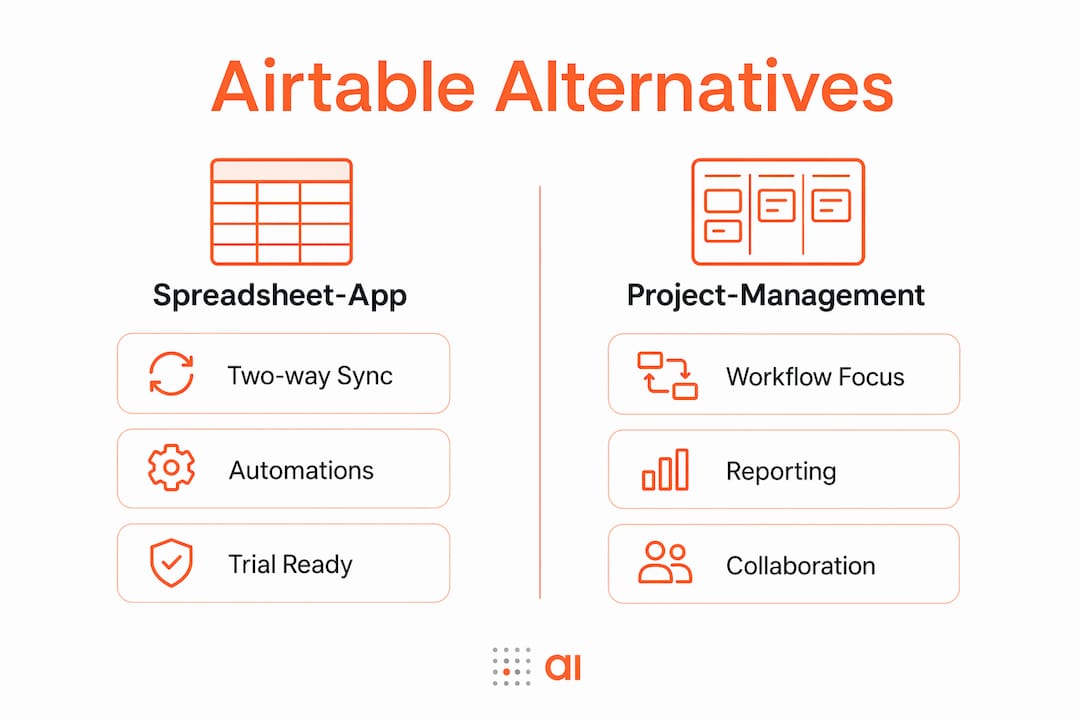
Spreadsheet-to-app platforms read your existing Google Sheets or Excel files and generate a working app from the columns already there. Two-way sync means the app writes back to your source, so your spreadsheet stays current. The main tradeoff: these platforms are purpose-built for ops apps, not general project wikis.
Document-first workspaces (Notion, Coda) let you mix pages and databases in one place. They work well when your team writes as much as it tracks. Relational modeling is possible but less deep than a database-first tool, and two-way sync with external sources is limited.
Project-management-first platforms (monday.com, ClickUp, Smartsheet) prioritize workflow tracking and reporting over data modeling depth. Built-in communication and dashboards are strong. If your primary job is managing tasks and timelines rather than building internal apps, this category fits.
Open-source SQL frontends (NocoDB, Baserow) advertise unlimited rows and flexible storage but shift costs to hosting, maintenance, and engineering time. They suit regulated industries or teams that cannot send data to a third-party cloud.
Pro Tip: Before shortlisting, write down your primary job-to-be-done in one sentence. “We need to turn our sales pipeline spreadsheet into a live app” points to a different category than “We need a shared wiki with task tracking.”
How do you choose the right Airtable alternative for your team?
Start with your primary objective: data modeling, workflow automation, document integration, or app generation. That single decision eliminates two of the four categories immediately.
Evaluation criteria to work through:
- Primary objective alignment — does the tool’s core strength match your job-to-be-done?
- Integration and two-way sync — validate connector behavior during the trial, not just import/export, because many integrations are one-way by default
- Automation parity — can you recreate your two most critical automations without code?
- Data model fidelity — can the tool represent your relational links and formula fields accurately?
- Pricing shape — per-user pricing scales differently than per-builder-seat pricing; model your team size at 2x growth
- Security and compliance — does the vendor offer SSO, audit logs, and SOC 2 for your data sensitivity level?
- Support and community — is there a responsive support channel and active user community?
Questions to ask during a trial:
- What happens to my data when I hit the row or record limit?
- Does the connector write back to my source, or only read from it?
- Can I export my automations and integrations if I need to leave?
- Is SSO included in my plan, or is it an enterprise add-on?
- What is the SLA for support response on my tier?
Red flags to watch for:
- Migration effort is described as “just a CSV export” (it rarely is)
- Two-way sync is listed as a feature but only works for one connector
- Row limits that your current dataset already approaches
- No audit logs below the enterprise tier
Trial test plan: Import one real dataset, recreate two automations end-to-end, and test a two-way sync update for 48 hours. If those three things work cleanly, the tool can handle your ops workflow.
What does migration actually cost in time and money?
Migration is not a CSV export. It means remapping data models, rebuilding automations, and retraining users. The hidden costs are where most teams get surprised.
| Migration scope | Typical effort |
|---|---|
| Small (1–2 tables, no automations) | 4 hours |
| Medium (5 tables, 3–5 automations) | 2–5 days |
| Large (complex relational model, 4+ automations) | 1–3 weeks |
Migration checklist:
- Map every table, field type, and relational link before touching the new tool
- Audit all active automations and document their triggers, conditions, and actions
- List every integration and confirm whether the new tool supports two-way sync for each
- Plan user training: non-technical users need a walkthrough, not just a login
- Keep a rollback snapshot (exported CSV + automation documentation) for at least 30 days post-migration
- Run QA with real data, not sample data, before going live
Understanding how data mapping works before you start saves the most time. Teams that skip this step typically spend twice as long fixing broken relational links after the fact.
Hidden costs to budget:
- Engineering or consultant hours to rebuild complex automations
- Productivity loss during the transition window (plan for 1–2 weeks of reduced throughput)
- Subscription overlap if you run both tools in parallel during QA
Which alternative fits your specific ops use case?
| Use case | Best category | One-sentence reason |
|---|---|---|
| Sales pipeline tracking | Spreadsheet-to-app / sync | Turns your CRM export into a live app with two-way HubSpot or Salesforce sync |
| Inventory and asset tracking | Spreadsheet-to-app / sync | Reads your existing inventory sheet and generates a real interface with audit logs |
| Project operations | Project-mgmt-first | Built-in workflow views, reporting, and task-level communication |
| Document-centric processes | Document-first workspace | Combines pages and databases so SOPs live next to the data they govern |
| Self-hosted / regulated data | Open-source SQL frontend | Full data sovereignty with no third-party cloud dependency |
For sales ops, the prototype to build in your trial is a pipeline view with a two-way sync to your CRM. Import your contacts sheet, configure a status field, and test whether an update in the app writes back to HubSpot or Salesforce within minutes.
For inventory, import your asset register, configure a low-stock alert automation, and check whether the dashboard updates in real time when a field changes.
Teams with regulated data or self-hosting requirements should evaluate open-source options carefully. The technical overhead is real, and the total cost of ownership includes server maintenance and engineering time that a SaaS subscription absorbs automatically.
Pro Tip: For cross-time-zone ops teams coordinating trial reviews, a free tool like TimeTamer removes the scheduling friction so your evaluation stays on track.
Which alternative should you trial first?
Trial the spreadsheet-to-app category first. It has the lowest migration effort, the clearest fit for ops teams, and the fastest path to a working app from data you already have. Gainable is the ops-focused option to start with.
Three actions to take this week:
- Import your most-used spreadsheet (sales pipeline, inventory register, or project tracker) and let the platform generate an app from your existing columns
- Recreate your two most critical automations and run them end-to-end with real data
- Define your 30-day success criteria: a live app used by at least three team members, two automations running without manual intervention, and a dashboard your manager can read without asking you for an export
If the spreadsheet-to-app category does not cover a specific need (for example, your team writes long-form SOPs alongside data), add a document-first workspace to the shortlist as a second trial. For no-code app builders beyond this category, a broader comparison is worth reading before committing.
Key Takeaways
The fastest path from Airtable to a working ops app is a spreadsheet-to-app platform with two-way sync, not a feature-by-feature replacement hunt.
| Point | Details |
|---|---|
| Match tool to objective | Pick by primary job-to-be-done: app generation, workflow tracking, docs, or self-hosting. |
| Validate two-way sync in trial | Test connector write-back behavior, not just import, before committing to any platform. |
| Budget migration realistically | Complex migrations with multiple automations can take 1–3 weeks; plan for overlap costs. |
| Watch pricing shape at scale | Per-user pricing compounds fast; per-builder-seat models favor large ops teams. |
| Gainable for ops-first teams | Gainable reads your existing sheets, merges data, and ships a live app with audit logs and two-way sync. |
Pro Tip: Save migration time by keeping your canonical data source (Google Sheet, Excel, or CRM) intact and letting the new platform sync to it, rather than migrating the data itself.
The mistake most ops teams make when switching tools
The single most common mistake is treating migration as a data transfer. Teams export a CSV, paste it into the new tool, and assume the hard part is done. It is not. The real work is in the automations, the relational links, and the integrations that took months to build and are nowhere in a CSV export.
What surprises teams most is not the data volume but the automation debt. A workflow that took 20 minutes to configure in the original tool can take a full day to rebuild if the new platform handles triggers differently. Multiply that by ten automations and you have a two-week project that was budgeted as a weekend task.
The practical shortcut is a staged rollout: migrate one use case at a time, keep the old tool running in read-only mode for 30 days, and use real production data for QA rather than synthetic samples. Permission modeling deserves early attention too. Rebuilding role-based access after go-live is painful; map it before you import a single record.
Gainable turns your existing data into a live ops app
Your spreadsheets already contain the data model for your ops app. Gainable reads your Google Sheets, Excel files, and connected tools like HubSpot, Stripe, Salesforce, Jira, and Linear, merges them into a single record, and generates a production-ready app with authentication, audit logs, dashboards, and two-way sync. No rebuilding from scratch. No engineering hours to get started.
Gaia Autopilot monitors your app data for anomalies, drafts actions for your approval, and handles recurring tasks before they pile up. Every app ships with chat, comments, and file sharing inside the records they refer to. Enterprise teams get on-premise deployment and advanced security options. The operations app builder is built for exactly the workflows you are evaluating right now. Start your trial at gainable.dev/excel-to-app and have a working app from your first spreadsheet in minutes.
Sources and further reading
- Airtable Alternatives: 15 Best Tools to Use in 2026 — best for pricing comparisons and category overviews
- The 6 best Airtable alternatives in 2026 — strong on integration and two-way sync evaluation
- NocoDB on GitHub — primary resource for self-hosting setup, technical requirements, and open-source migration details
- Top 12 Airtable Alternatives for Project Management — useful for document-first and project-management category comparisons
- Gainable data connectors — connector list and two-way sync documentation for HubSpot, Sheets, Stripe, and more
- How data mapping works: a practical guide — technical primer to read before starting any migration
- EndPlex API Workbench — useful for testing connector behavior and validating two-way sync during your trial